Tag: ZillaBooth App

  • Introducing ZillaBooth 3.0: Professional Photo Booth Features Made Simple

    Introducing ZillaBooth 3.0: Professional Photo Booth Features Made Simple

    ZillaBooth 3.0 is officially here. This major update brings a mature, feature-complete experience designed for event professionals, venue operators, and casual hosts who need a reliable, self-running photo booth.

    We built ZillaBooth with a focus on stability and ease of use. Whether you are managing a high-traffic brand activation or setting up an iPad at a wedding reception, ZillaBooth 3.0 turns your hardware into a polished kiosk that works while you host. The booth runs itself, so you can run the event.

    Here is an overview of the new professional tools, our three user tiers, and the engineering that makes ZillaBooth the smart choice for your next event.

    What’s New in Version 3.0?

    Version 3.0 introduces a suite of powerful, thoughtfully engineered features designed to give operators complete control and peace of mind during live events.

    • USB External Camera Support: For professional setups, you can now connect UVC-compliant USB webcams and DSLR cameras to your iPad. This provides a DSLR connection option with a clean, high-quality feed, giving you consistent framing independent of the iPad’s built-in camera.
    • Event Readiness Dashboard: Ensure your hardware is ready before the doors open. The new live dashboard lets you proactively verify your battery, thermal state, storage capacity, and printer connectivity in one place.
    • Ambient Device Status Alerts: Subtle live status chips on the iPad camera screen keep operators informed of low battery, overheating, or printer issues without interrupting the guest flow.
    • Bluetooth Remote Shutter: Trigger photo captures seamlessly using standard Bluetooth remotes, volume buttons, or the new iPhone Camera Control button. It utilizes a unified shutter path to ensure flawless hands-free attendant operation.
    • Custom Save Locations: Professional workflows require flexibility. You can now save individual photos and finished collages directly to external drives, Files folders, or iCloud Drive for instant editor access and same-night handoffs.
    • Attention-Grabbing Shutter Button: Designed for unattended setups, an optional animated particle halo or swirling emoji ring around the iPad shutter helps draw guests in and maximize engagement.

    Three Tiers Designed for Different Users

    Rather than a one-size-fits-all approach, ZillaBooth is structured into three distinct tiers tailored to different types of users and use cases. With the 3.0 release, we are officially renaming our one-time purchase tier to Pocket to better reflect its intended use.

    Core (Free)

    ZillaBooth Core is designed for casual use and testing. It remains completely free to download, requires no account or login, and produces clean collages with zero watermarks.

    • Classic Collages: Capture exactly four photos in sequence to automatically generate a 2×2 grid or 1×4 vertical strip.
    • Automated Flow: Simple automatic countdown timers and full-screen flash for consistent illumination.
    • Instant Sharing: Share or save your collage instantly using the native iOS share sheet.

    Pocket (One-Time Purchase)

    Designed for casual users and content creators who want a customizable photo booth experience right in their pocket. While it works beautifully on an iPad, Pocket is primarily envisioned for iPhone users.

    • Custom Timing & Manual Capture: Adjust initial and between-photo countdowns, or switch to Manual Capture to take photos at a natural, human-paced rhythm.
    • Creative Aesthetics: Apply professional black-and-white filters and add customized border spacing and colors.
    • Automated Organization: Auto-save individual photos and collages directly to your library, and embed GPS metadata with geotagging.
    • Custom Share Messages: Pre-fill the iOS share sheet with your own custom caption or event hashtag.

    Pro (Monthly Subscription)

    The Pro tier is aimed directly at pros and DIY users running events, parties, and permanently installed photo booths. It leverages all the custom controls of Pocket and adds a complete suite of event-grade tools.

    • iPad Event Layout: Transform your iPad into a full-screen kiosk with an oversized shutter and dedicated collage review buttons.
    • Integrated SMTP Email: Guests receive their collages in seconds via your own email domain. A persistent BCC feature seamlessly integrates with your marketing lists.
    • Graphic Overlays: Import your own transparent PNG artwork for custom logos, borders, and brand themes. There is no proprietary template lock-in.
    • Auto-Print: Connect to any AirPrint-compatible venue printer to instantly deliver 4×6 physical keepsakes.
    • Booth Automation: Auto-Restart after idle periods, Keep Awake guidance, and a hidden settings button ensure your booth runs safely and independently all night.

    Why ZillaBooth?

    ZillaBooth 3.0 is built natively for iPhone and iPad using Apple’s AVFoundation framework. This ensures highly reliable captures, system-level performance, and an interface that feels instantly familiar to your staff and guests.

    Most importantly, ZillaBooth respects your professional workflow. We believe in zero proprietary lock-in: use the hardware you already own, the email infrastructure you trust, and the branding your clients demand.

    Download ZillaBooth 3.0 today and see how easy running a professional photo booth can be.

  • Designing Overlays for Non-Designers

    Designing Overlays for Non-Designers

    You don’t need a degree in graphic design or expensive Adobe software to create a beautiful, branded, professional overlay for a modern photo booth like ZillaBooth. As a non-designer, the task might seem intimidating…after all, you are creating a digital frame that has to perfectly fit a photo that hasn’t even been taken yet. But thanks to powerful, simple online tools, you can easily master this process. The secret weapon for this task is the transparent PNG file, and the best tool for the job is Canva.

    This comprehensive tutorial will walk you through, step-by-step, how to leverage Canva to design a stunning, high-resolution photo booth overlay that is guaranteed to meet ZillaBooth’s technical specifications, ensuring your logo, event name, or custom graphics look flawless on every single print and digital share.

    Understanding the “Overlay” Concept

    First, let’s clarify what an overlay is. In a physical photo booth, the pictures are printed directly onto the paper. In a modern digital photo booth, the process is layered. The camera takes the picture (Layer 1). Then, a digital frame, or overlay, is automatically placed on top of that photo (Layer 2) before it is printed or saved.

    Because the overlay is Layer 2, most of it needs to be completely invisible…or transparent…so the actual photo underneath can show through. Only the parts you want to be visible…like a border, a logo, or text…should be opaque. This invisible background is what makes a transparent PNG so critical. A standard JPEG file can’t do this; it would simply block out the entire picture with a white or colored rectangle.

    ZillaBooth’s Technical Blueprint: The Specs You Must Meet

    To ensure a perfect fit with the ZillaBooth system (or any professional photo booth), you must adhere to two non-negotiable specifications:1. Dimensions (Size): The physical or digital photo size determines your canvas size. For the purpose of this tutorial, we will use the most common rectangular print size: 4×6 inches. To maintain a high-quality, non-pixelated final image, ZillaBooth requires the overlay file to be a precise digital size: 1800 pixels wide by 1200 pixels high. If your ZillaBooth is set to a different ratio (like a square or 5×7), adjust these pixel dimensions proportionally, but the file size must be high-resolution (at least 300 DPI, which these pixel dimensions inherently achieve).
    2. Format (File Type): The file must be a PNG and it must have a transparent background. A JPEG will not work.The Tutorial: Creating Your Overlay in CanvaStep 1: Setting up Your Canvas (The Right Size)

    Open Canva and look for the “Create a design” button, usually in the top right corner. * Select “Custom size” from the dropdown menu.
    * Crucially, switch the unit of measurement from “px” (pixels) if it is set to “in” or “mm.”
    * Enter the required ZillaBooth dimensions: 1800 for the width and 1200 for the height.
    * Click “Create new design.”You now have a perfectly sized, blank canvas. This rectangle represents the final 4×6 photo that will be printed.Step 2: Defining the Safe Zone (Where the Photo Goes)

    Your primary design goal is to create a frame around a large empty space. This empty space is the “Safe Zone”…where the photo will actually appear. You must ensure your design elements do not spill into this zone, or they will cover people’s faces and ruin the picture. * Create a Placeholder: This step is only for design purposes and will be deleted later. Go to “Elements” on the left sidebar and select the “Square” shape.
    * Change the square’s color to a bright, contrasting color like hot pink or neon green. This is your temporary placeholder.
    * Resize the Placeholder: Drag the corners of the square to fill most of the canvas, leaving a clear border around the edge for your design. For a clean, modern look, leave approximately 150-200 pixels of border space on the top, bottom, and sides.
    * This large colored rectangle represents the area where the actual photo will be. The thin, clear border outside of it is the only space you can place your design elements.Step 3: Designing Your Border and Graphics

    Now that you’ve defined the Safe Zone with your placeholder, you can start building the actual overlay elements in the border area. * Add Text: Go to “Text” and add your event name, date, or a hashtag. Place this text neatly into the border area…for example, centered at the very top or in a corner. Ensure the text size is legible but doesn’t feel cramped.
    * Insert the Logo: Click “Uploads” and upload your company or event logo. Critical Tip: If you have a version of your logo that is already a transparent PNG, use that. If not, use Canva’s “Background Remover” tool on your uploaded logo image (requires Canva Pro). Place the logo strategically, such as in the bottom-right corner or centered below the photo area.
    * Add Decorative Elements: Use “Elements” to add simple decorative touches like thin lines, leaves, confetti, or a solid color block for a clean background. Ensure all of these elements are fully contained within the border space and do not overlap your bright placeholder square.
    * The Crucial Deletion: Once your design is finished, click on the brightly colored Safe Zone placeholder square and press the delete key. Your canvas should now look like your design elements floating on a blank white background. This blank white area is what will become transparent in the next step.Step 4: The Transparency Trick (Exporting as PNG)

    This is the most crucial step and the one that separates a successful overlay from a failed one. * Click the “Share” button in the top right corner of Canva.
    * Click “Download.”
    * In the file type dropdown menu, select “PNG.”
    * Directly beneath the file type selector, there is a very important checkbox labeled “Transparent background.” YOU MUST CHECK THIS BOX. Note: This feature is exclusive to Canva Pro (the paid subscription). If you do not have Canva Pro, you will need to find another tool or start a free trial. This is non-negotiable for a professional overlay.
    * Ensure the size is set to the default (1800 x 1200 px).
    * Click the “Download” button.The file you receive will be a high-resolution PNG where the area that was blank white in your Canva design is now completely transparent, allowing the photo booth picture to show through perfectly.

    Design Masterclass: Logo Placement and Framing Tips

    Creating a successful overlay goes beyond just the technical specifications…it’s about optimizing the design for the photo booth experience itself. As a non-designer, keep these four best practices in mind to create a polished, effective frame.1. Prioritize Face and Body Space (The “No-Go” Zone)

    The biggest mistake is placing design elements in the main picture area. Your job is to frame the experience, not obscure it. * Avoid the Center: Never put a large logo or graphic in the middle-bottom or middle-side of the frame. This is precisely where people’s torsos, shoulders, or hands will be. A logo placed there will look sloppy and block key parts of the photo.
    * The Corners are Your Friends: The top-left, top-right, bottom-left, and bottom-right corners are the safest real estate. Place the date and hashtag at the top, and your logo small and unobtrusive in the bottom corner. A simple, thin border around the entire Safe Zone is often the most elegant solution.
    * Test on a Mockup: Before finalizing, temporarily drag in a dummy photo of people (or a stock photo) into your Canva design, place it on the bottom layer, and ensure none of your design elements are covering faces, hands, or important action.2. The Power of Simplicity and Contrast

    Photo booth photos are often fast and busy. Your design should be simple and high-impact. * One or Two Key Elements: Don’t crowd the border. Focus on a single, clear logo and one line of text (like the event name). Visual clutter distracts from the people in the picture.
    * High Contrast Colors: Ensure your design colors stand out against the white/black of the typical photo booth background. If your event has dark lighting, use light colors like white or gold. If the event is in a bright space, dark, rich colors will pop. Do not use pastels or shades that are too close to skin tones.3. Strategic Logo Sizing and Consistency

    Your logo needs to be visible without dominating the frame. * Size it for Readability: A logo that is too small becomes blurry or unreadable when printed. Aim for a size where the logo is clearly identifiable, but never larger than about 1/8th of the total border space.
    * Brand Color Matching (Hex Codes): If you are working for a brand, you should know their exact color codes (Hex codes, e.g., #FF5733). In Canva, use the color picker to input these codes precisely. This ensures your overlay matches the client’s brand guidelines perfectly, adding a professional touch that even a junior writer can master.4. The Clean Frame vs. The Full Overlay

    Decide on your framing style upfront: * The Clean Frame: This is a simple, rectangular border that runs along the very edge of the Safe Zone. It’s safe, professional, and ensures maximum photo space. All design elements (logos, text) are placed on top of this border.
    * The Full Overlay: This style covers the entire background of the canvas with a solid color or pattern, except for the Safe Zone. This is useful if you want to create a full-bleed colored background for the final print (e.g., a solid gold frame). If you choose this, make sure the solid color is part of the PNG design, and the Safe Zone remains completely transparent.By following these technical steps in Canva…setting the exact ZillaBooth pixel dimensions, ensuring your logo is an uploaded transparent element, deleting the Safe Zone placeholder, and most importantly, checking the “Transparent background” box on export…you will have successfully created a professional, high-quality, and perfectly fitted photo booth overlay. You have bypassed the need for complex design software and achieved a flawless, branded result. Upload the final PNG file to your ZillaBooth interface, and watch your design elevate the entire event experience.

  • ZillaBooth QR Code Photo Delivery Setup

    ZillaBooth QR Code Photo Delivery Setup

    Want to let guests walk away from your photo booth with their photos without exchanging phone numbers, handing out USBs, or managing a complicated app? QR Code Image Delivery makes it effortless — guests scan a posted QR code, find their photo in a shared cloud gallery, and save it directly to their phone in seconds.

    The best part: this works with ZillaBooth right now, using features already built in. No app updates, no new subscriptions, no code. Just a 15-minute setup using free tools you likely already have.

    What is QR Code Image Delivery?

    QR Code Image Delivery is a setup — not a separate feature — that uses ZillaBooth’s built-in Simplified Sharing BCC field together with a free IFTTT automation and a cloud storage folder (like Google Drive) to create a self-updating photo gallery guests can access by scanning a single QR code.

    Every time a guest completes a photo session and taps Share, ZillaBooth silently BCC’s a copy of the email — photo attachment included — to an IFTTT trigger address. IFTTT automatically deposits that photo into your cloud folder. Guests scan the QR code you’ve posted near the booth, open the gallery on their phone, and save their photo. No app to download. No account to create. No friction.

    What you’ll need

    • ZillaBooth with Simplified Sharing enabled
    • A free IFTTT account (free tier works; Pro unlocks near-real-time speeds)
    • A Google Drive account (or another IFTTT-supported cloud storage service)
    • Any free QR code generator (such as qr-code-generator.com or qrcode-monkey.com)

    Step 1 — Create your event’s Google Drive folder

    Start by creating a dedicated folder in Google Drive for your event. Giving it a specific name (like Smith Wedding 2026 Photos) keeps it organized and ensures guests only see photos from their event.

    1. Open Google Drive and create a new folder for your event.
    2. Right-click the folder → Share → change access to “Anyone with the link can view.”
    3. Copy the shareable link — you’ll use it to generate your QR code in Step 4.

    Tip: Create a fresh folder and QR code for each event so guests only see photos from that day — not from previous sessions.

    Step 2 — Set up the IFTTT automation

    IFTTT (If This Then That) is a free automation platform that connects your apps and services. Here you’ll set it up to watch for incoming emails and automatically save any photo attachments to your Google Drive folder.

    1. Sign in at ifttt.com.
    2. Use the pre-built applet Save email attachments to Google Drive — it does exactly what you need.
    3. Click Connect and authorize both your email and Google Drive accounts when prompted.
    4. When configuring the action, set the Google Drive folder path to the event folder you created in Step 1.
    5. Save and enable the applet.
    6. Note your IFTTT trigger email address: trigger@applet.ifttt.com — this is the address you’ll enter in ZillaBooth.

    That’s the automation. Any email sent to trigger@applet.ifttt.com with a file attachment will have that attachment automatically uploaded to your specified Google Drive folder.

    Step 3 — Configure ZillaBooth’s BCC field

    1. Open ZillaBooth and navigate to your Simplified Sharing settings.
    2. In the BCC field, enter: trigger@applet.ifttt.com
    3. Save your settings.

    That’s it on the ZillaBooth side. From this point on, every time a guest completes a session and taps Share, ZillaBooth will silently BCC that email — and IFTTT will automatically deposit the photo into your Google Drive event folder.

    Step 4 — Generate and display your QR code

    1. Take the shareable Google Drive folder link you copied in Step 1.
    2. Paste it into a free QR code generator.
    3. Download the QR code image.
    4. Print it on a sign, postcard, table tent, or sticker — anywhere guests will see it near the booth.

    Suggested sign text: “Scan to get your photos! Your image will appear here within seconds of sharing.”

    Tip: Many QR code generators let you add a logo or custom colors. Drop in your event or company branding to make the sign look polished and professional.

    The guest experience

    Here’s what the flow looks like from a guest’s point of view:

    1. Guest takes photos at the ZillaBooth.
    2. Guest enters any email address at the sharing screen (their own, a placeholder, or a dummy — it doesn’t matter) and taps Share.
    3. The photo arrives in the Google Drive folder automatically via IFTTT — typically within seconds to about a minute.
    4. Guest scans the QR code posted near the booth, opens the folder on their phone, finds their photo, and saves it.

    The flow is familiar, zero-friction, and requires no app installation on the guest’s part.

    Tips and customization

    • One folder per event: Create a fresh Google Drive folder and a new QR code for each event so guests only see photos from their event — not previous ones.
    • Want it even faster? Upgrade to IFTTT Pro for near-real-time automation speeds. The free tier can have up to a 1-hour delay.
    • Not a Google Drive user? IFTTT also supports Dropbox, OneDrive, Box, and others. Swap in whatever cloud storage you already use — the ZillaBooth BCC configuration stays exactly the same.
    • Want branded QR codes? Tools like QRCode Monkey let you embed a logo and choose custom colors for a more polished look.
    • Already use Make or Zapier? Both platforms support similar email-to-cloud-storage automations if you prefer them over IFTTT.

    A note on the sharing step

    For this flow to work, the guest does need to complete the Simplified Sharing step — entering an email and tapping Share. This is intentional: it’s the action that triggers ZillaBooth to send the BCC. In practice it takes only a few seconds, and many guests will enter their real email address anyway to receive a personal copy of their photo.

    Ready to set it up?

    Download ZillaBooth free and give your guests the effortless photo pickup experience they’ll remember.

  • The Future is Streamlined: Why ZillaBooth Wins

    The Future is Streamlined: Why ZillaBooth Wins

    This is the final piece in our three-month deep dive, and it’s time to bring everything we’ve discussed back to the bedrock principle that has defined ZillaBooth’s success since day one. We’ve covered market trends, reviewed feature comparisons, and dissected ROI metrics. But all of that data, all the competitive advantages, ultimately funnel into one single, powerful idea: a streamlined, focused photo booth experience that delivers less fiddling, more memories. This isn’t just a marketing slogan; it is the fundamental operating system for the future of event photography, and it is why ZillaBooth is pulling decisively ahead in a market clogged with over-engineered complexity.The Tyranny of the Unnecessary Feature

    Look around the photo booth landscape today. What do you see? You see a race to add more. More screens, more filters, more animation options, more confusing user interfaces, and more complicated setup procedures. The prevailing belief is that feature bloat equals value.

    This belief is a fundamental misunderstanding of human behavior at a high-energy event. When a guest steps up to a photo booth…at a wedding, a corporate gala, or a product launch…they are not looking for a complex editing suite. They are not looking to spend five minutes calibrating a bokeh effect or deciding between seven different sepia tones. They are looking for instant gratification, a moment of spontaneous fun, and a tangible, high-quality keepsake that encapsulates the joy of the event.

    The competitor’s model…the one that requires a guest to tap through six different menus just to start a four-photo strip…is a friction generator. Every extra button, every confusing setting, every delay in the start sequence introduces a moment of hesitation. This hesitation breaks the flow of the event, frustrates the guest, and, most importantly, pulls them out of the moment. They are no longer focused on their friends, their props, or the spontaneous energy of their pose; they are focused on operating the machine. That, in a single sentence, is the difference between a functional photo booth and a ZillaBooth.

    The operational side is just as critical. For the event professional or venue owner, complexity translates directly into operational overhead. A complicated system means more staff training, longer setup times, more potential points of failure, and more panicked calls to support because a feature that should be set once is suddenly defaulting to ‘off.’ When your business depends on rapid deployment and flawless execution, the last thing you need is a labyrinthine interface designed by engineers, not event specialists. The cost of “more features” is always paid in time, reliability, and ultimately, user frustration. The market is saturated with complicated, unreliable, and frankly, over-priced gimmicks that promise the world but only deliver confusion. ZillaBooth cuts through this noise by prioritizing the essential, proving that peak performance is achieved through purposeful constraint.ZillaBooth’s Core Philosophy: The Art of Subtraction

    ZillaBooth was built on a principle that runs counter to this feature-bloat trend: The most advanced technology is the technology you don’t have to think about. We adhere to an internal mantra: if a feature requires an instruction manual for a guest, it’s the wrong feature.

    We obsessively focus on what we call the “Three Pillars of Streamlining”:1. Zero-Friction UI: From the moment a guest approaches the screen, the path to taking a picture must be visible, intuitive, and immediate. Our interface isn’t designed to impress engineers with its depth; it’s designed to delight a tipsy wedding guest with its simplicity. One large, clearly labeled tap to start, clear visual countdowns, and a focus on the most universally popular, high-impact options only. Everything else…from file conversion to light balancing…runs automatically in the background, out of sight. The screen is a window to fun, not a control panel.

    1. Automated Professional Quality: The single greatest source of “fiddling” in other booths is the need for constant, manual camera and lighting adjustments. An operator shouldn’t have to be a professional lighting designer. ZillaBooth’s proprietary algorithm, which we’ve fine-tuned over years of event data spanning every imaginable venue type, automatically adjusts exposure, white balance, and flash power based on ambient light conditions. Whether the event is in a dimly lit cocktail lounge or a sun-drenched atrium, the system ensures a perfectly exposed, color-accurate photo strip every single time, without a single touch from the operator or the guest. This automation doesn’t just save time; it guarantees a consistent, professional result that reflects the premium ZillaBooth brand quality. It’s the equivalent of hiring an in-house photographer who never gets tired and never makes a mistake.

    2. The Fast-Track Memory Loop: The cycle from “start” to “photo delivery” is ruthlessly optimized for speed. Our internal processor is tuned for near-instant rendering of photo strips, GIFs, and videos, minimizing the wait time that can kill spontaneous energy. Quick sharing via QR code, SMS, or email is integrated seamlessly with our high-speed network components, meaning the guest receives their memory…and posts it to social media…while they are still buzzing from the experience. This rapid loop enhances the perceived value of the memory and maximizes the booth’s utility throughout the event, ensuring that every minute of rental time is used for memory creation, not for processing lag.We didn’t remove features for the sake of being minimalist. We removed complexity to enhance focus. By making the process transparent and instantaneous, we shift the entire focus of the user from the machine to the experience happening in front of the lens. The technology recedes, and the human interaction takes center stage.The Value of Focus: Capturing Authentic Memory

    The true victory of the streamlined approach is revealed in the final product: the memory itself.

    Think about the photos that truly matter from an event. They are almost always the spontaneous ones…the moment a group bursts into laughter, the silly pose that happens organically, the unexpected embrace. These moments are fragile; they are easily lost when the energy is interrupted by a technical delay.

    When a guest has to stop and think, “Wait, which filter do I choose? Where is the button for the video loop?” their focus shifts. Their smile becomes forced, their posture stiffens, and the spontaneous joy in their eyes is replaced by a slight furrow of concentration. This is what we call the Fiddling Tax…a subtle but pervasive reduction in the authenticity of the captured moment, caused by a machine that demands attention it doesn’t deserve.

    ZillaBooth pays no Fiddling Tax. Because the process is so quick…often less than 15 seconds from touching the screen to the flash firing…the interaction feels less like operating a computer and more like being snapped by a friendly, professional photographer who knows what they are doing. The guests stay in character. They stay present. They stay silly. They get to be themselves, which is the entire point of a memory capture tool.

    This focus allows the ZillaBooth to capture memories that are more vibrant, more authentic, and ultimately, more valuable to the client and their guests. The final photo strip is not a documentation of an interaction with a machine; it is a genuine, unfiltered record of joy. In a world of over-edited, over-produced event content, ZillaBooth delivers raw, authentic happiness. We believe the highest form of technology in this space is that which maximizes the emotional authenticity of the capture. It’s about preserving human connection, not showcasing hardware.The Professional’s Advantage: ROI in Reliability and Efficiency

    For the event industry professional…the rental company, the venue manager, the corporate planner…the streamlined design of ZillaBooth is a direct accelerator of Return on Investment (ROI).

    1. Reliability is Currency: Complexity is the ultimate enemy of reliability. When there are fewer moving parts, fewer software variables, and an interface that guides the user rather than challenging them, the risk of technical failure plummets. ZillaBooth is designed for maximum uptime, a system so robust it practically runs itself. Our single-purpose, highly-optimized software stack minimizes crashes, bugs, and operator errors. For a professional whose reputation rests on flawless execution, this reliability is priceless. It means less time troubleshooting during an event, less money spent on last-minute support, and a higher client satisfaction rate, leading directly to repeat bookings and high-value referrals. You sell peace of mind as much as you sell photography.

    2. Speed and Scalability: A streamlined experience doesn’t just benefit the guest; it benefits the flow of the event and the operator’s pocketbook. An over-complicated booth can create bottlenecks, leading to long, frustrating queues. This not only annoys guests but limits the number of photo sessions the booth can complete. ZillaBooth’s rapid memory loop ensures a higher throughput of guests. A greater number of guests taking photos means the client’s investment is being maximized. Furthermore, because the setup is so simple and the operation so automated, a single ZillaBooth operator can effortlessly manage multiple units across a large venue or can train a temporary staff member in minutes, dramatically improving the scalability of the rental business. Your overhead is lower, your potential for simultaneous bookings is higher, and your training costs are minimal.

    3. Future-Proof Simplicity: Technology evolves at a breakneck pace, forcing competitors to constantly chase the latest features. This often requires costly hardware or software overhauls. ZillaBooth’s strategy is to focus on a consistently excellent core experience…the perfect photo, the perfect print…and use smart, non-intrusive software updates to layer subtle enhancements that maintain simplicity. We don’t chase every feature fad. We refine the one thing that matters most: making the process of taking a picture invisible. This protects the professional’s investment, ensuring that a ZillaBooth unit purchased today remains a premium, high-demand asset for years to come because its value is based on timeless efficiency and reliable execution, not transient novelty. Our platform is designed to be agnostic to the next big social media trend; it simply provides the best, highest-quality base asset for guests to share wherever they choose.Concluding the Series: The Unbeatable Equation

    Over the past three months, we’ve examined the market from every angle. We’ve seen that the competition, obsessed with providing everything to everyone, is actually providing an experience that is confusing, time-consuming, and ultimately compromises the authenticity of the memories captured. They focus on the machine, and the moment suffers.

    ZillaBooth, conversely, doubled down on a singular, clear vision: * Streamlined User Interface leads to Zero Friction.
    * Focused Technology leads to Automated Reliability.
    * Zero Friction + Automated Reliability delivers Less Fiddling, More Memories.This is the unbeatable equation that delivers a better experience for the user and superior ROI for the professional. We are not just selling a photo booth; we are selling the most efficient, high-fidelity memory capture device on the market. We have stripped away the complexity, not out of technological limitation, but out of a profound respect for the event moment. We want guests to look at the camera, not the interface. We want operators to manage a flawlessly running business, not troubleshoot a cumbersome machine. The future of event capture is not about adding more; it’s about perfecting the essential. And in the world of event photography, ZillaBooth’s commitment to simplicity is the ultimate sophistication. The streamlined future is here, and it’s winning. Get out of the fiddling business and into the memory-making business. Choose ZillaBooth.

  • Geotagging Your Love Story: A ZillaBooth Pro Feature

    Geotagging Your Love Story: A ZillaBooth Pro Feature

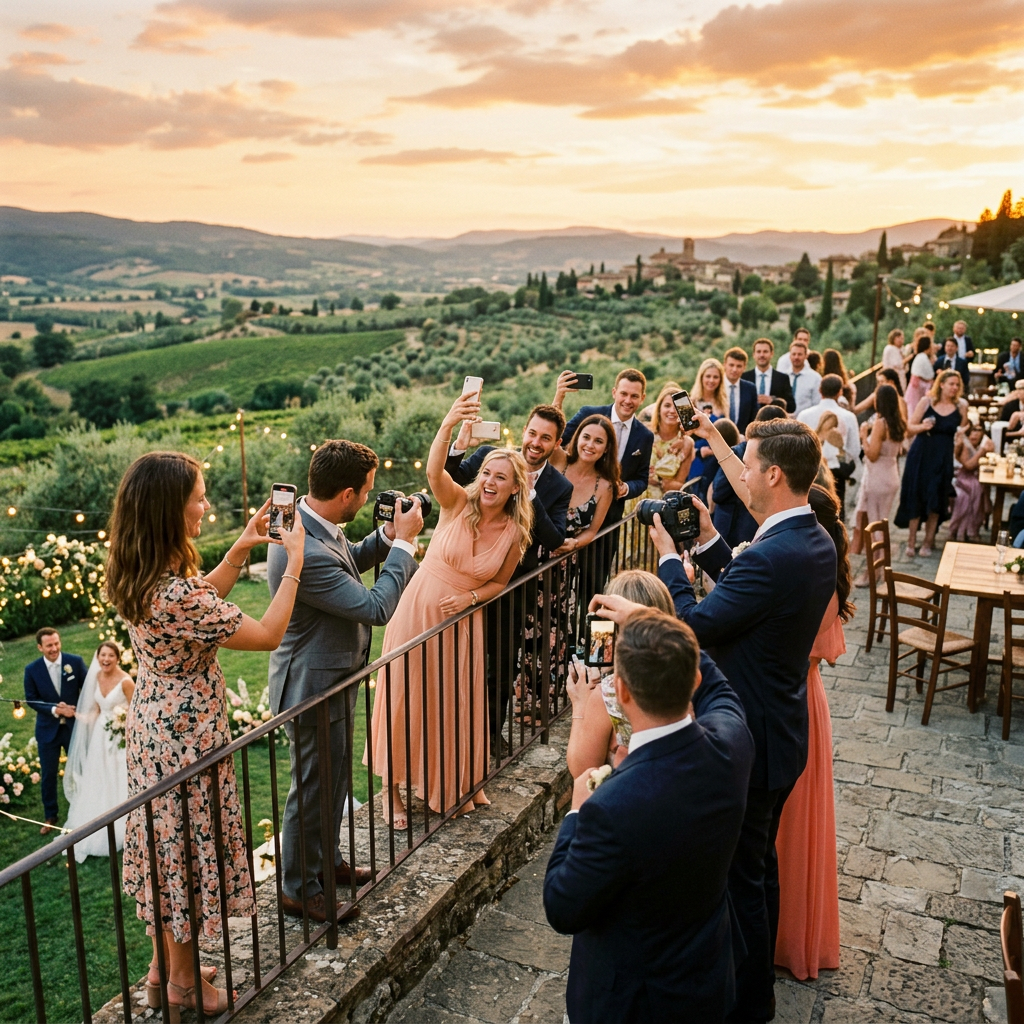
    The sun is setting. It could be dipping below the rolling, vine-covered hills of Tuscany, bathing an ancient stone villa in a deep, honey-gold light. Or, just as magically, it could be sinking behind the familiar silhouette of the old oak tree in your parents’ backyard, casting long, familiar shadows across the lawn where you played as a child. In either scene, a love story is unfolding, and whether you flew halfway around the world or simply stepped out your back door, the setting itself is a silent, vital character in the narrative of your wedding day.

    For years, the wedding industry chased a certain kind of perfection…a polished, Pinterest-ready aesthetic that was often beautiful but occasionally lacked a deep sense of place. But the trend has shifted profoundly. Today, couples are obsessively focused on meaning. They aren’t just choosing a venue; they are choosing a location with a story, a sense of soul, and an identity that is meant to be woven into the fabric of their marriage. Destination weddings…from intimate elopements on remote cliffsides to grand, multi-day affairs in European capitals…have surged, but so too has the intentional, highly personalized ‘home’ wedding, staged on family property, in a favorite park, or at a meaningful local landmark.

    The problem with this new focus on location, however, is that once the final photo is taken and the last guest has departed, the digital evidence of that meaningful setting often dissolves into a vast, flat sprawl of files. Your photographer delivers thousands of images, your videographer sends terabytes of footage, and your guests, via a shared album, contribute hundreds of snapshots. You have a huge, beautiful collection, but the fundamental context…where exactly that beautiful, spontaneous moment occurred…is lost. Was that hilarious speech delivered next to the fountain overlooking the Adriatic, or was it given in the glow of the string lights under the old walnut tree? Digital files are stripped of their emotional geography, leaving you with an inventory of moments, but a fragmented map of the experience.

    This is where the magic of ZillaBooth Pro’s advanced Geotagging feature turns your digital memories from a simple gallery into an interactive, spatial memoir.ZillaBooth Pro’s Geotagging: The GPS of Your Soul

    ZillaBooth Pro is an indispensable tool for the modern wedding, allowing you to capture spontaneous, high-quality, and deeply personalized content from your guests without the awkwardness of a traditional, physical photo booth. But its most powerful feature for location-conscious couples is its seamless, hyper-accurate Geotagging technology.

    In simple terms, Geotagging is the automatic process of adding precise geographical identification metadata…latitude and longitude coordinates…to every single piece of content captured through the ZillaBooth Pro app. This includes every silly photo, every heartfelt guest video message, every slow-motion boomerang, and every stunning 360-degree clip.

    Unlike the generic geotags you see on social media, which often only register the name of the broad venue (e.g., “Villa Pienza”), ZillaBooth Pro utilizes your phone’s internal GPS with high granularity. This means it records the exact coordinate of the guest at the moment they hit the shutter or record button. The result is a memory bank that is organized, not just by time, but by space. When your final ZillaBooth Pro memory package is delivered, it’s not just a folder of files; it’s a living, breathing, interactive map of your wedding.Destination Memoir: Mapping the Multilingual Journey

    Consider the dream destination wedding in Tuscany. The celebration may span three days and multiple locations: the intimate rehearsal dinner in a medieval cellar on Thursday, the cliffside ceremony overlooking the Val d’Orcia on Friday, and the grand reception at the villa pool on Saturday.

    In a standard digital album, all these files would be sorted by date, but the distinct flavor of each setting would blend together. With ZillaBooth Pro Geotagging, your memory review becomes a journey: * The Proposal Spot Pin: Before the main event, you and your partner sneak back to the exact spot where he or she proposed…a tiny, overgrown chapel perhaps. You record a short, reflective video message together in the app. That memory is instantly pinned to those exact coordinates on your master map.
    * The Ceremony Overlook: The actual ceremony takes place at a specific, breathtaking overlook 500 meters from the villa. Guests capture their initial gasp of the view, close-up shots of the rings, and the tearful reactions to your vows. By clicking the pin labeled “Ceremony Site” on your ZillaBooth Pro map, you instantly filter all content to only the memories created in that sacred, fifteen-square-meter area.
    * The Aperitivo Corner: Later, during cocktail hour, one of your aunts is seen on a guest video message offering unsolicited, hilarious marriage advice. This memory is pinned, not just to the villa, but specifically to the corner of the terrace by the old olive tree where the Aperol Spritz bar was set up. Years later, you can click that exact spot and relive that perfectly timed moment, complete with the clink of glasses and the sound of Italian chatter from the street below.Geotagging in a destination setting is the ultimate organizational tool. It turns a vast, beautiful collection of moments into a chronological, geographical itinerary, allowing you to navigate your memories with the same intentionality you used to plan the trip itself. It ensures that the unique character of every stop on your wedding journey is permanently preserved and instantly retrievable.Local Legend: Elevating the Backyard to a Landmark

    But the true genius of Geotagging isn’t just for exotic locations…it’s for making familiar locations feel just as sacred and special. For the couple who chooses to host their wedding in the beloved, meaningful space of a family backyard, Geotagging is the tool that transforms a beloved piece of property into a living, breathing landmark of their union.

    A backyard wedding, while deeply personal, can be spatially confusing in retrospect. Every moment happens within a hundred-foot radius. The kitchen is the dressing room, the lawn is the dance floor, and the gazebo is the altar. Geotagging creates precise, memory-laden zones: * The Vows Pin: Your vows were exchanged beneath the old, enormous maple tree. Geotagging ensures that every photo or video taken of that sacred moment is grouped not under “Backyard,” but under “Maple Tree Altar – Vows.”
    * The Dessert Bar Pin: You spent weeks perfecting a stunning dessert bar, and your cousin took a video describing the full array of treats. That message isn’t lost in the general reception footage; it’s pinned precisely to the coordinates of the picnic table that held the cakes.
    * The Dance Floor Zone: ZillaBooth Pro can even create a virtual fence, or ‘geofence,’ around the dance floor area. By filtering the master map for this zone, you can instantly pull up every single photo, video, and GIF of your guests letting loose, effectively creating a “Best of the Dance Party” reel with a single click.For a local wedding, Geotagging transforms proximity into specificity. It acknowledges the emotional reality that the spot where you said ‘I do’ is fundamentally different from the spot where you cut the cake, even if they are only thirty feet apart. The feature acts like a professional archivist, differentiating and cataloging every micro-location to honor the specific memory created there, making the familiar feel uniquely profound.More Than Photos: The Spatialization of Sentiment

    ZillaBooth Pro’s Geotagging extends far beyond standard photography, adding unparalleled depth to other forms of memory capture:1. Geotagged Video Messages: The most valuable content captured by the app are often the spontaneous, heartfelt video messages from guests. With Geotagging, you don’t just get the message; you get the location. This can add subtle, beautiful context. Perhaps your grandmother recorded her message from a quiet bench on the edge of the property, providing a moment of calm reflection that is now permanently linked to that spot.
    2. Mapping Speeches: Even formal elements like speeches, which can sometimes be hard to locate in hours of video, become instantly accessible. Was your sister’s tear-jerking toast delivered from the veranda? Click the “Veranda” pin and jump straight to the exact moment.
    3. Future Proofing: By permanently embedding the exact location into the file metadata, you are future-proofing your memories. Ten, twenty, or thirty years from now, you will not rely on memory or cryptic filenames to recall the setting. The location data is part of the file itself, a timeless, unerasable link between the moment and the geography.In a world drowning in digital clutter, ZillaBooth Pro’s Geotagging is an anchor. It connects the fleeting, joyous chaos of your wedding day back to the fundamental constant of place. It transforms your collection of files into a deeply meaningful, navigable memory experience…a digital map of your love story. Whether your journey began in a sun-drenched Italian olive grove or under the comfortable shade of the backyard oak, this feature ensures that the unique geography of your celebration is never lost, allowing you to relive every single cherished moment exactly where it happened. It’s the difference between looking at a photograph of a castle and standing right where you stood when the photograph was taken. It’s the ultimate way to honor the most meaningful location in your life: the place where you officially became a family.

  • The “Confirmation Animation”: Why Feedback Matters

    The “Confirmation Animation”: Why Feedback Matters

    The Silent Promise: Why Visual Feedback is Non-Negotiable in High-Energy, Low-Signal Environments

    In the world of user experience (UX) design, the goal is always clarity. An interface should speak fluently to its user, guiding them seamlessly through tasks. But what happens when that ‘voice’ is completely drowned out? This is the central design dilemma faced by apps operating in high-energy, high-noise settings…the concert hall, the sports arena, and perhaps most acutely, the nightclub or party venue.

    For ZillaBooth Party, an app designed to facilitate everything from queueing up a photo booth session to pre-ordering a drink from a busy bar, the environment itself is the primary antagonist to good UX. When the bass is vibrating through your body, the lights are strobing, and a hundred conversations are dissolving into white noise, the traditional pillars of app feedback…auditory cues, subtle visual changes, and even haptic vibrations…all but vanish. In this sensory overload zone, a simple tap on a button becomes an act of faith. The user taps ‘Confirm’ and is left with one anxious question: Did it work?

    The answer to this profound design challenge lies in a dedicated visual solution: the Confirmation Animation. It is a carefully engineered, non-verbal declaration of success…an unmistakable, full-screen moment designed to cut through the chaos and instantly deliver peace of mind.

    The Noise Floor: Why Traditional Cues Fail

    To appreciate the necessity of a dedicated confirmation animation, we must first analyze the sensory landscape of a club or a high-volume party. This environment dictates a complete re-evaluation of standard UX best practices.1. Auditory Bankruptcy: In a quiet setting, a simple ‘ding’ or ‘chime’ is an elegant sign of success. In a club where sound levels routinely exceed 90 decibels, the application’s sound feedback is not just missed; it is literally impossible to hear. The user may be wearing earplugs, or the phone speaker may be covered by a hand or jacket pocket. Relying on sound in this environment is a failure of design from the start.

    1. Haptic Ambiguity: Many designers turn to vibration as a silent communicator. While effective in a pocket or on a table in a quiet room, a phone’s vibration is easily lost in a loud environment. The low-frequency bass waves already cause subtle vibrations in the user’s hand and clothing. The tiny, localized pulse of a phone’s motor gets drowned out by the broader, systemic vibration of the music. Furthermore, a simple vibration is binary: it only communicates something happened, not what happened. Was that a confirmation, or just a new text message? The ambiguity is high.

    2. Subtle Visuals Are Invisible: Standard web and app design often uses subtle cues for success: a button fading from blue to green, a small checkmark appearing next to a list item, or a toast notification sliding in from the bottom. In the low, uneven light of a club…where the phone screen itself is a primary light source…the user’s eye is already fatigued and distracted. A small, corner-of-the-screen notification is simply not visible or registered in the user’s peripheral vision. The design must be bold, central, and impossible to overlook.Engineering Peace of Mind: Principles of the Confirmation Animation

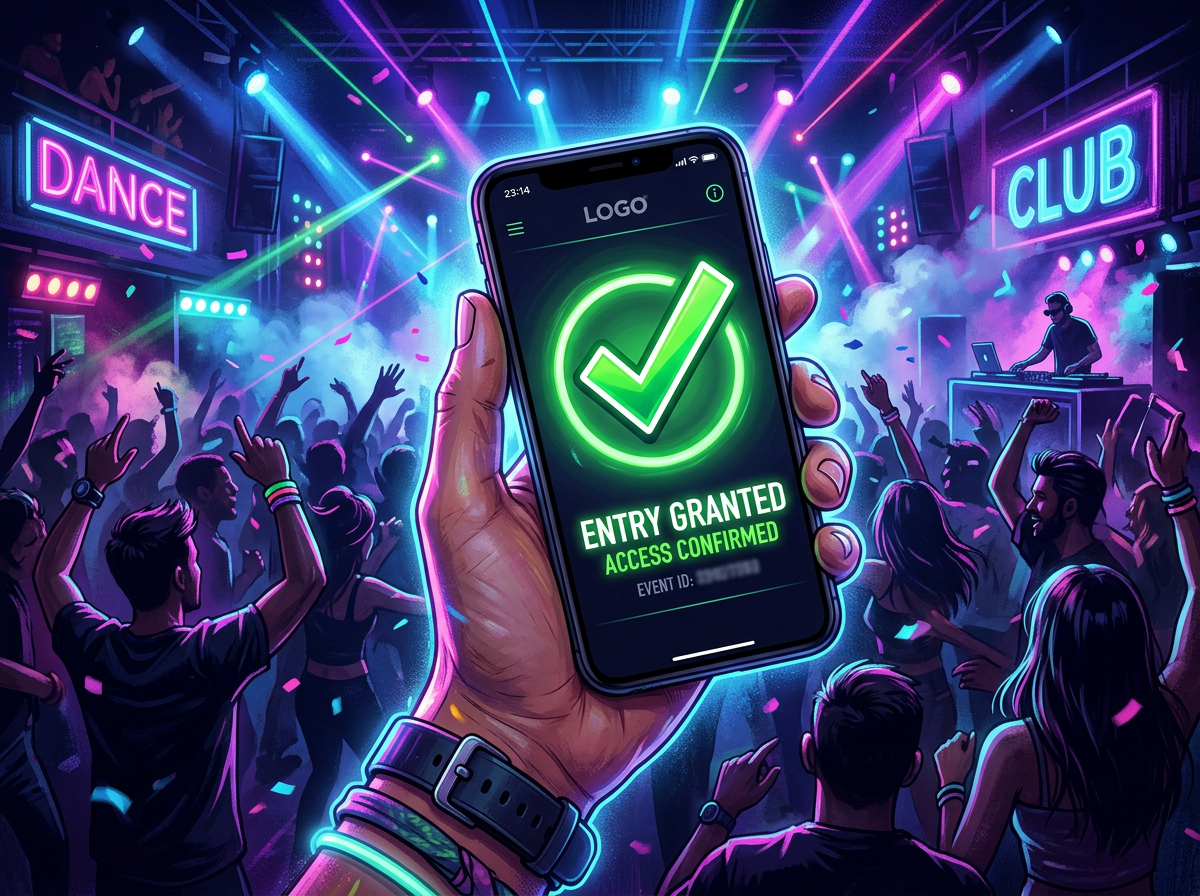
    The ZillaBooth Party Confirmation Animation is thus not a mere embellishment; it is a critical functional element born from the necessity of its environment. It must adhere to a specific set of principles to be effective: * Maximum Contrast and Color Saturation: The animation must utilize colors that punch through a dark interface. This often means bright, high-value colors like electric green, radiant yellow, or pure white. Crucially, the animation should momentarily invert the color scheme, perhaps flashing from the app’s dark-mode background to a screen-filling burst of light, momentarily giving the user’s eyes an unmissable visual shock. This is the visual equivalent of shouting ‘YES!’
    * Full-Screen or Dominant Screen Real Estate: The animation must occupy the vast majority of the screen, if not the entire screen, for its duration. This prevents the user’s attention from drifting to other UI elements or the distracting environment. A large, simple icon…like an oversized, dynamic checkmark or a stylized, expanding ‘Success’ ring…is more effective than detailed text, which may require focused reading.
    * Purposeful, Unmistakable Motion: The movement itself must communicate finality. A quick, energetic motion that resolves into a static success state (e.g., a burst of particles that coalesces into a solid green checkmark) works better than a continuous loop or a subtle glow. The motion should clearly signal an event closure.
    * Strategic Duration: The animation must be slow enough to be fully processed but fast enough not to feel like a delay. A sweet spot often falls between 800 and 1200 milliseconds. This short window is long enough for the user to lift their gaze from the button, register the full-screen visual event, and consciously acknowledge the action’s success, all while maintaining the flow of their social activity.
    * Haptic Reinforcement (The Secondary Cue): While the visual is primary, the animation must be perfectly synchronized with a single, strong, unique haptic pulse. This pulse is not for primary communication, but for multi-sensory reinforcement. When the user sees the green flash and feels the strong, singular thud, the brain registers the confirmation with greater certainty.The Critical UX Benefit: Preventing Errors and Reducing Cognitive Load

    The payoff for engineering such a dramatic visual is enormous, extending far beyond simple aesthetics. In a high-pressure environment like a busy nightclub, the Confirmation Animation directly addresses the two greatest causes of user error:1. The Double-Tap Problem: The single most common failure state in any low-feedback environment is the “double-tap” or “triple-tap.” A user taps ‘Order,’ sees no immediate change, assumes the app failed, and taps again. In the context of ZillaBooth Party, this could mean: * System Strain: The app is now processing two identical photo booth orders, taxing the system unnecessarily.
    * Monetary Loss: The user is charged for two drinks or two photo strips when they only wanted one. The subsequent need for a refund or correction ruins the entire user experience.
    The instantaneous, unambiguous visual confirmation eliminates the doubt that leads to the double-tap, saving the user money and preventing system errors.2. Anxiety and Trust Erosion: Uncertainty breeds anxiety. When a user spends money or queues up a shared resource (like a photo booth slot), they need immediate reassurance. Did my payment go through? Is my photo slot saved? A lack of confirmation forces the user to divert cognitive resources…checking their bank balance, asking a friend, or worrying…instead of enjoying the event. The Confirmation Animation is a moment of total psychological release. It says, “Success confirmed, go back to having fun.” This builds profound trust in the ZillaBooth brand, transforming a stressful interaction into a reliable utility.The ZillaBooth Scenario: A Walkthrough

    Consider a user, Sarah, standing in a crowded bar area within the venue. She wants to use ZillaBooth Party to pre-order a round of drinks before joining her friends at the photo booth. * Action: Sarah quickly selects her items and taps the ‘Pay Now’ button.
    * The Wait (The Hidden Danger): The app takes 500ms to communicate with the payment server. In a quiet room, a subtle loading spinner would suffice. Here, the spinner is tiny and ignored. Sarah’s finger hovers over the button. Doubt begins to set in.
    * The Confirmation Animation Firework: Just as Sarah is about to tap the button again, the app receives success confirmation. Immediately, the entire screen goes momentarily white-hot, overlaid with a massive, stylized, emerald-green checkmark that dynamically draws itself out with a fast, satisfying swoop. A strong, synchronized haptic buzz is delivered.
    * Outcome: Sarah registers the full-screen event instantly. The clarity is total. The feeling is not just success, but relief. She lowers her phone, confidently walks to the pickup point, and avoids a costly double-order.Conclusion

    The design of the Confirmation Animation in ZillaBooth Party is a perfect illustration of how effective UX must adapt to its environment. It is a bold, almost aggressive design choice…a purposeful over-communication…that directly counters the sensory chaos of the club. By maximizing contrast, screen space, and motion, and by minimizing ambiguity, the animation transforms a high-risk transaction into a moment of pure, silent certainty. In the loudest, darkest, most chaotic settings, the Confirmation Animation is ZillaBooth Party’s silent promise to the user: Your action was successful. Go enjoy the party. It proves that in UX, sometimes the most crucial communications are the ones that are seen, not heard. This foundational design choice is what separates an app that merely functions from one that truly elevates the high-energy social experience.

  • The “Time Machine” Feature: Documenting Growth

    The “Time Machine” Feature: Documenting Growth

    For most of us, our relationship with time is fleeting. We understand it abstractly, marking it with major milestones: graduations, weddings, the purchase of a first home. But the subtle, continuous, magnificent process of growth…the slow, tectonic shifts in who we are, what we look like, and the world around us…often slips by unnoticed. We rely on random, scattered photo albums to patch together a narrative of our lives, leaving massive gaps between the moments we decided were “Instagram-worthy.” The result is a timeline full of peaks, but lacking the quiet, powerful valleys where real, lasting transformation happens.

    It’s time to move beyond the highlight reel. It’s time to build a personal ‘time machine,’ a reliable, ritualistic document that captures not just the events of your life, but the ongoing story of you.

    This is the power of the Birthday ZillaBooth Strip.

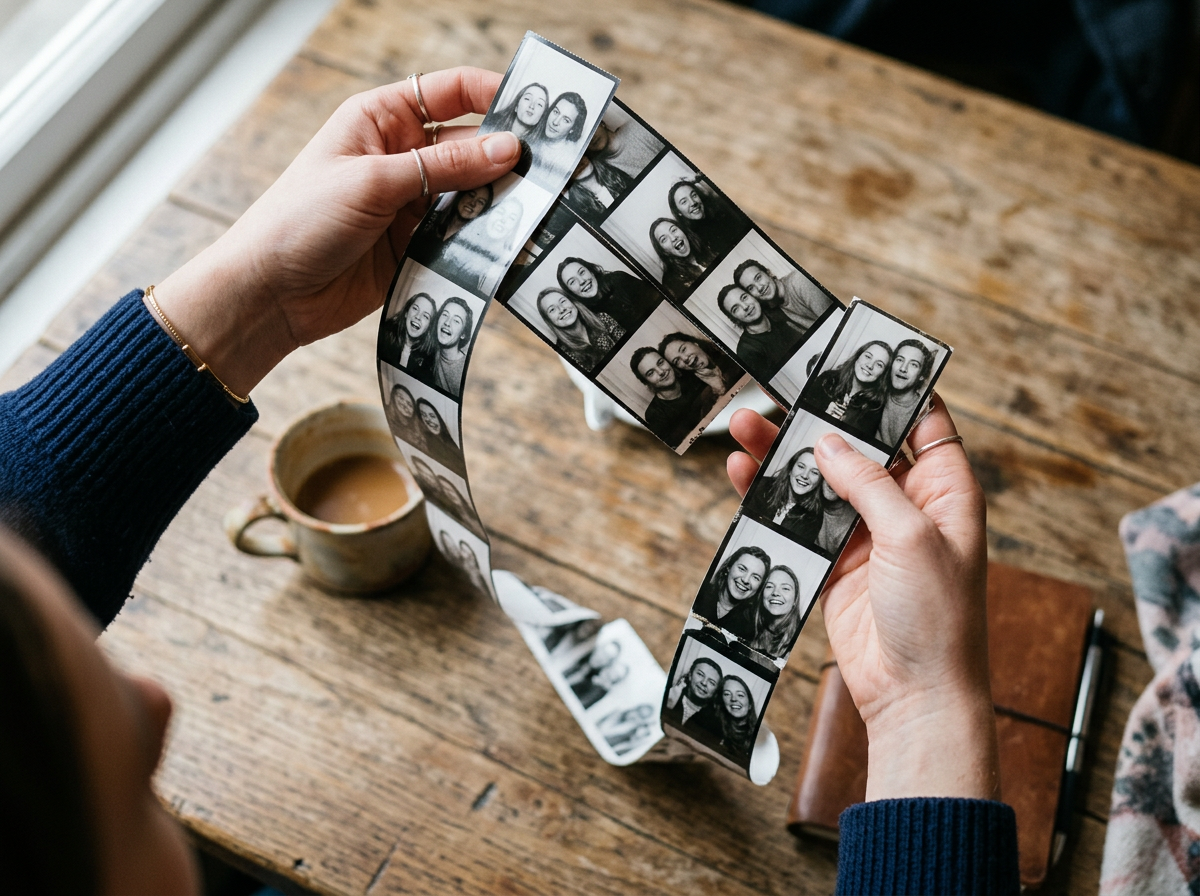
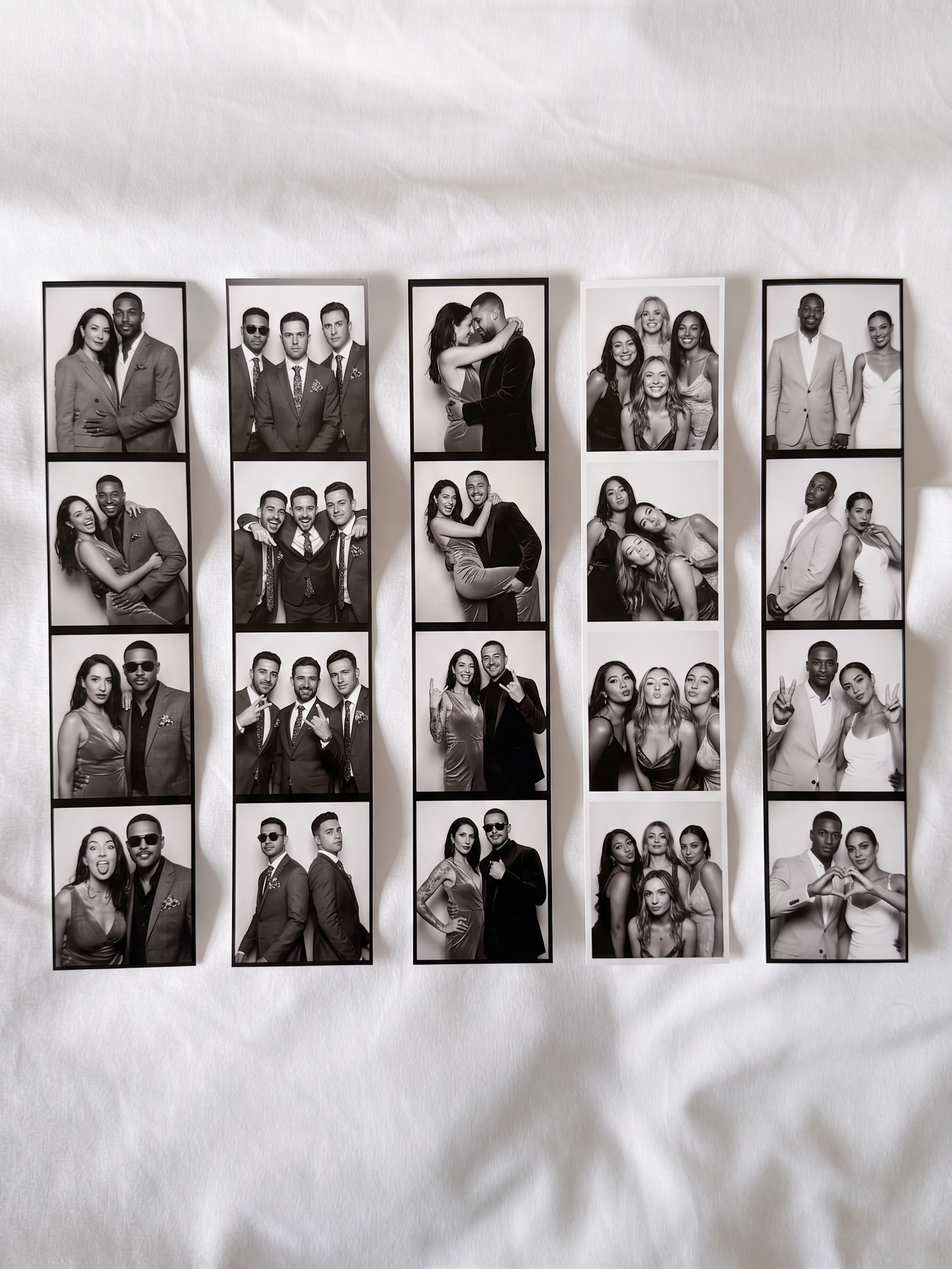
    The concept is simple, yet profound in its long-term application: once a year, on your birthday, you open the ZillaBooth application and capture a single, four-panel photo strip. That’s it. One dedicated moment, one specific format, repeated annually for as long as you choose to document your life. This seemingly small commitment transforms over time into one of the most powerful self-reflection and documentation projects you can undertake, yielding a literal, year-by-year time lapse of your journey.

    The ritual itself is the engine of the project. A birthday is the natural and universal checkpoint…the one day guaranteed to be distinct and separate from all others on the calendar. By tying the photography ritual to this annual marker, you eliminate the mental friction of choosing when to shoot and ensure near-perfect spacing between entries. It takes the project out of the realm of a fleeting hobby and elevates it to a tradition, a non-negotiable act of self-documentation. It’s a moment to pause, stand in front of the camera, and confront the person you’ve become in the last 365 days.

    Why a ZillaBooth strip, specifically? The photo booth strip format is the secret sauce. A single strip contains four distinct, sequential images taken mere seconds apart. This design is critical because it forces you to capture a micro-moment…a tiny, four-frame narrative of where you are right now. The first frame might be a default setting, the second a smile, the third a contemplative look, and the fourth a laugh. It’s an immediate, unposed sequence of genuine emotion that a single snapshot can never achieve. When you compile twenty of these strips, you don’t just have twenty pictures; you have twenty micro-stories, each a tiny window into your emotional state and physical self on that exact day. The consistency of the ZillaBooth app’s interface, framing, and signature filter (which often mimics the high-contrast, slightly grainy look of classic analog booths) is your greatest ally. Unlike using your native phone camera, which constantly optimizes and adjusts settings based on environment, ZillaBooth maintains a predictable aesthetic. This uniformity is what allows the time lapse to work; your photo strip from 2026 will visually ‘match’ your strip from 2036, making the subtle changes in your face and environment all the more dramatic and noticeable when viewed together. You are removing the photographer’s variable and leaving only the subject’s variable: time.

    To truly master this long-term Time Machine project, consistency must become your mantra. This goes beyond the annual date. You need to standardize your process to maximize the visual impact of the eventual time lapse.

    The Four Pillars of Consistency for the Time Machine Project1. The Background Anchor: Choose a consistent, simple background, if possible. A blank wall, a specific door frame, or even a recognizable piece of furniture in your home. While life changes and you may move houses or offices, try to keep the type of background the same…e.g., always a neutral, single-color wall. The human eye will focus on the most important variable (you), but a consistent backdrop creates a clean timeline.
    2. The Consistent Frame: On the first year, decide on your framing…a headshot, a three-quarter body shot, or a full body shot. Then, never deviate. The ZillaBooth app is designed to help with this by having fixed templates, but manually try to maintain the same distance from the camera. This ensures that the scale remains the same year after year, allowing for easy, side-by-side comparison of physical changes.
    3. The Lighting Standard: Try to take the photo at a similar time of day, ideally under the same type of light. This is where ZillaBooth is useful. If you use the app’s standard flash setting (which mimics the harsh, direct flash of a real booth), commit to using it every year. The flash eliminates the variable of ambient room lighting, providing a consistent, aggressive light source that showcases textures and features reliably.
    4. The Pose and Expression Baseline: This is the hardest, but most rewarding, pillar. Decide on a simple expression for the first frame…perhaps a closed-mouth smile. Then, let the other three frames be spontaneous. The key is to see the raw state of your face before the effort of posing. The consistency allows you to visually track, over decades, the deepening lines around your eyes when you smile, the subtle changes in your jawline, or the shift in the intensity of your gaze as you mature.The real magic of the Time Machine feature begins after five years. Before then, the changes are often too subtle to register. But once you can scroll through a collection of five, ten, or even fifteen strips, the growth becomes undeniable and often overwhelming.

    What You Will See: The Payoff of Decades * The Unconscious Style Guide: Your annual ZillaBooth strip becomes a fascinating chronicle of personal fashion history. While you may not intentionally try to be fashionable, the strips will ruthlessly document the rise and fall of trends in your life…the different hairstyles, the jewelry that was in one decade and out the next, the evolving fit of your clothes. You are documenting a personal style arc, a history of self-expression.
    * The Tectonic Shifts of the Face: This is the most emotional part. You will see the subtle, almost imperceptible signs of aging that happen so slowly you never notice them in the mirror. But the strips will line them up for you: the maturity that enters the eyes, the gray hairs that slowly accumulate, the softening or hardening of features. It’s a powerful, beautiful reminder of the passage of time, stripped of the daily anxieties of aging. You are charting the geography of your own face.
    * The Emotional Signature: Look at the four-frame story from the year you were married, the year you started a new career, or the year you went through a profound challenge. The flash and the consistent aesthetic cut through the polished performance we usually give the camera. You can see the lightness in your eyes during a happy period or the exhaustion and stress etched into your frame during a difficult one. The strip captures the raw mood of the moment.The ZillaBooth application, while primarily a photo-sharing tool, is perfectly suited to becoming a personal archival system. We recommend creating a dedicated, private album within the app, titled “Time Machine: [Your Name],” and setting it to the highest privacy level. This is where every annual strip is uploaded immediately after it’s taken. Some users even take an extra step, printing the physical strips (if the app offers this) and storing them in a dedicated album or shadow box…a tangible record that exists outside the digital realm.

    Pro-Level Time Machine Tips1. Embrace the Flaws: The core value of the ZillaBooth strip is its high-contrast, often unflattering honesty. Do not retouch, do not filter, and do not try to smooth out the inevitable lighting flaws. The red eye, the harsh shadows, the blown-out highlights…these are the aesthetic markers that tie the whole series together and lend it a sense of authenticity that a perfectly edited portrait lacks. The flaws are the proof of the timeline.
    2. Add a Consistent Prop (Optional): For those who want an extra dimension of comparison, consider adding a single, small, unchanging object to the frame every year. This could be a favorite ring, a childhood stuffed animal, or even a book with the year written on it. This object acts as a visual measuring stick, emphasizing the growth or change in your own scale and providing a consistent focal point for the timeline.
    3. The Before-and-After Review: On your birthday, before you take the new strip, scroll through your entire archive. This moment of self-reflection is the true purpose of the Time Machine. Spend five minutes looking at the first strip you took, and then slowly move forward to the last one. Notice the life that has been lived, the changes that have been made, and the person you’ve shed and become. This review is incredibly motivating and often provides clarity about the path you’ve walked and where you are headed.A life well-documented is a life well-examined. The ZillaBooth Birthday Strip is more than a creative photography project; it is a long-term commitment to self-awareness and a powerful hedge against the relentless blur of time. It requires minimal effort…five minutes, once a year…but yields a result that is priceless: a visual, empirical document of your personal journey. It’s not about capturing the best version of yourself, but the real version, year after year, documenting your beautiful, inevitable, and continuous growth. Don’t wait for a major life event to mark the start. Your next birthday is the perfect moment, but today is even better. Start your Time Machine now, and begin documenting the greatest story ever told: your own.

  • The Future of the Photo Booth: AI and Beyond

    The Future of the Photo Booth: AI and Beyond

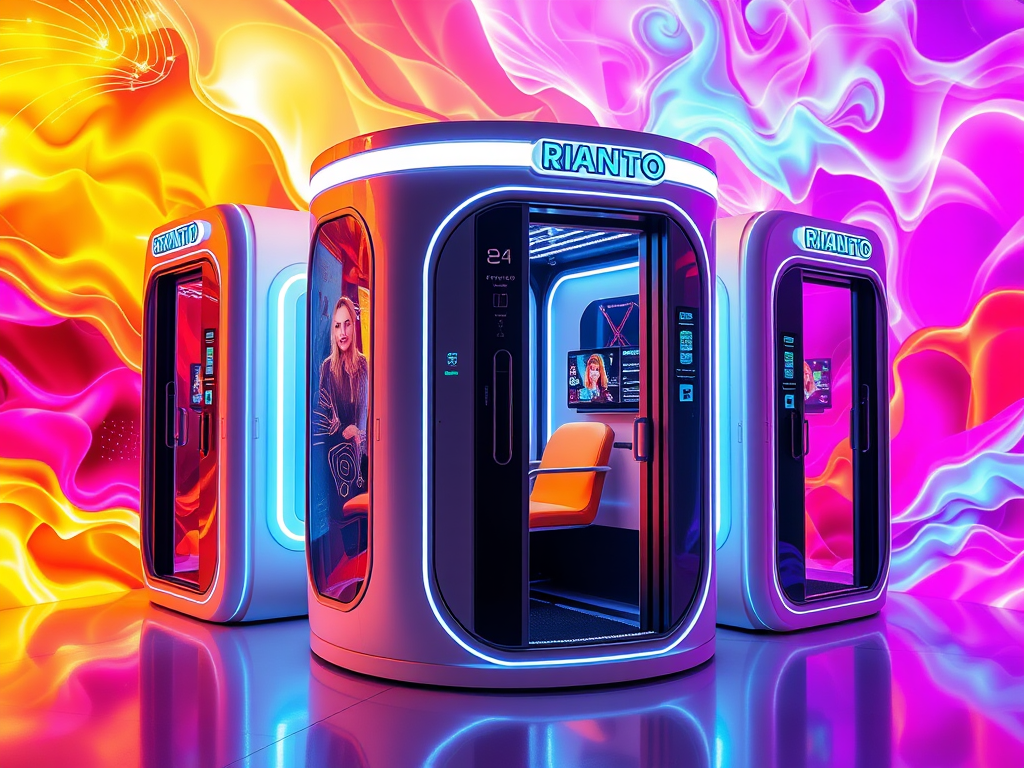
    The evolution of the simple photo booth is at a critical juncture. For decades, the charm of the booth lay in its immediacy, its small-box intimacy, and the raw, often hilarious, imperfection of the strip of four photos it spat out. It was an analog anchor in a digitally accelerating world, a machine dedicated to capturing candid, unfiltered human connection. But as Artificial Intelligence (AI) permeates every layer of the digital ecosystem, the photo booth industry is bracing for a transformation that promises…or threatens…to completely redefine the experience.

    The future, as projected by many tech optimists, is one where the photo booth becomes a highly sophisticated, predictive, and generative tool. At the forefront of this shift is the deployment of advanced AI imaging and facial recognition technologies. Imagine a booth that doesn’t just take a picture, but instantly analyzes the composition, light, and subjects’ expressions. This next-generation system would employ AI to automatically perfect the image, going far beyond simple digital flash. It could correct for bad lighting in real-time, instantly smooth out skin texture, adjust color balance to match a high-end photographer’s signature look, and even subtly alter facial symmetry to conform to prevailing aesthetic ideals. The output would be a product of machine-generated perfection…an image that is technically flawless but perhaps emotionally sterile.

    Beyond mere correction, the predictive capabilities of AI promise an era of hyper-customization. Facial recognition, a technology that has already sparked widespread debate in public safety and social media, is poised to enter the booth. An AI-powered booth could recognize a returning customer, recall their preferred filters, and instantly generate backgrounds tailored to their past choices or, more invasively, to data pulled from their public social profiles. Planning a trip to Paris? The AI might instantly render a dynamic Eiffel Tower background. The process moves from capture to generation, where the photo booth is less a camera and more a content factory. Furthermore, generative AI could be used to remix the subjects entirely, placing them into a completely different artistic style, turning a simple photo strip into a Van Gogh-esque painting or a comic book panel on demand. This shift represents a move toward content that is highly consumable, shareable, and optimized for virality…but it fundamentally alters the relationship between the subject and their memory.

    This wholesale embrace of ‘over-AI’d photos,’ however, introduces a critical and often overlooked set of trade-offs. The first casualty is authenticity. The very charm of the classic photo booth was its commitment to the moment: the awkward, spur-of-the-moment pose, the goofy face, the genuine, unforced laughter. When AI intervenes to “perfect” an image…smoothing, correcting, and stylizing…it erodes the candid truth of the moment. The output becomes a manufactured, idealized version of reality, indistinguishable from a dozen other heavily filtered selfies. As consumers, we are already experiencing significant fatigue with this aesthetic uniformity. When every image is polished to the same sheen of perfection, the emotional resonance of the photograph declines. We want to see the real moment, not its improved avatar.

    The second, and far more serious, concern revolves around privacy and control. The integration of facial recognition, while convenient for instant sharing and personalization, represents a massive step toward surveillance and data collection. When a photo booth uses facial recognition, it’s not just recognizing a face for a moment; it’s potentially creating a permanent biometric profile linked to a unique piece of personalized, private data. Furthermore, the push for instant, automated social sharing, often touted as a feature of these AI-powered systems, transforms a private moment of fun among friends into public marketing collateral. The couple or event host loses control the moment the photo is taken, as the data is instantly beamed into a cloud governed by the photo booth operator and its AI vendors. This trade-off of convenience for personal data and control is the core issue defining the “over-AI’d” future. The consumer’s memory becomes another input for a machine’s data model. The moment is sacrificed to the metric.

    In this context of accelerating digital perfection and eroding privacy, ZillaBooth is staking a firm and necessary claim as the streamlined, “human-centric” alternative. It is not an anti-technology stance, but a purposeful rejection of unnecessary complexity and data-hungry AI. ZillaBooth’s philosophy recognizes that the true value of a photo booth is not in its computational power, but in its ability to facilitate authentic, spontaneous human interaction.

    ZillaBooth’s design is intentionally streamlined, serving as a clean, high-quality capture tool rather than a complex AI engine. The focus is on exceptional hardware…professional-grade cameras, lighting, and printing…that ensures a stunning image without resorting to deep-learning algorithms for correction. This commitment to ‘streamlined’ operation translates to a user experience that is simple, instantaneous, and focused on the interaction happening inside the booth, not the processing happening behind the screen. The machine steps back, allowing the human element to dominate. The memories are genuine, crisp, and true to the moment they were captured, celebrated for their spontaneity, not their digital polish.

    The “human-centric” core of ZillaBooth manifests most powerfully in its privacy-by-design approach. In a world where photo booths are becoming data collectors, ZillaBooth operates on a principle of trust and absolute user control. The system is designed to be self-contained and locally managed, minimizing the inherent risks associated with cloud-based, automated sharing and facial recognition. The images and data are sequestered and placed directly in the hands of the event organizer or host, not automatically broadcast to the world.

    This model rejects the modern impulse for instantaneous, uncurated public sharing. There is no automated social media integration, no “upload to Instagram” button presented to the user inside the booth. Guests are encouraged to capture the memory for the host…for the shared experience…not for their own personal social feed. This design choice powerfully reinforces the notion of a “circle of trust” around an event, ensuring that the precious, candid moments remain the private property of the people who created them. This is the antidote to social media fatigue; it is a commitment to the memory as a private heirloom, not a public piece of content.

    Furthermore, ZillaBooth’s rejection of excessive AI-driven personalization is a deliberate choice to maintain accessibility and authentic fun. While AI-booths might generate 100 different digital backgrounds, ZillaBooth prioritizes physical, tangible props and backdrops that encourage real-world play and interaction. The memories created are not composites of algorithms and digital overlays; they are high-quality records of genuine human expression and interaction…the goofy prop combinations, the spontaneous huddle of friends, the simple, honest fun of being present. The focus remains on the people and the party, not the processing power.

    The future of the photo booth is thus a fork in the road: the path of the AI-driven system, which prioritizes technical perfection, data collection, and viral shareability at the cost of authenticity and privacy; or the path championed by ZillaBooth, which doubles down on the core, timeless appeal of the photo booth…simplicity, quality, and human connection. In an era where digital noise and algorithmic perfection are the defaults, ZillaBooth stands as a necessary, refreshing counterpoint…a technology designed to capture real life, not to refine or replace it. It ensures that the memories made remain just that: memories, not metrics. And in the long run, it is the genuine, human-centric memory that truly endures.