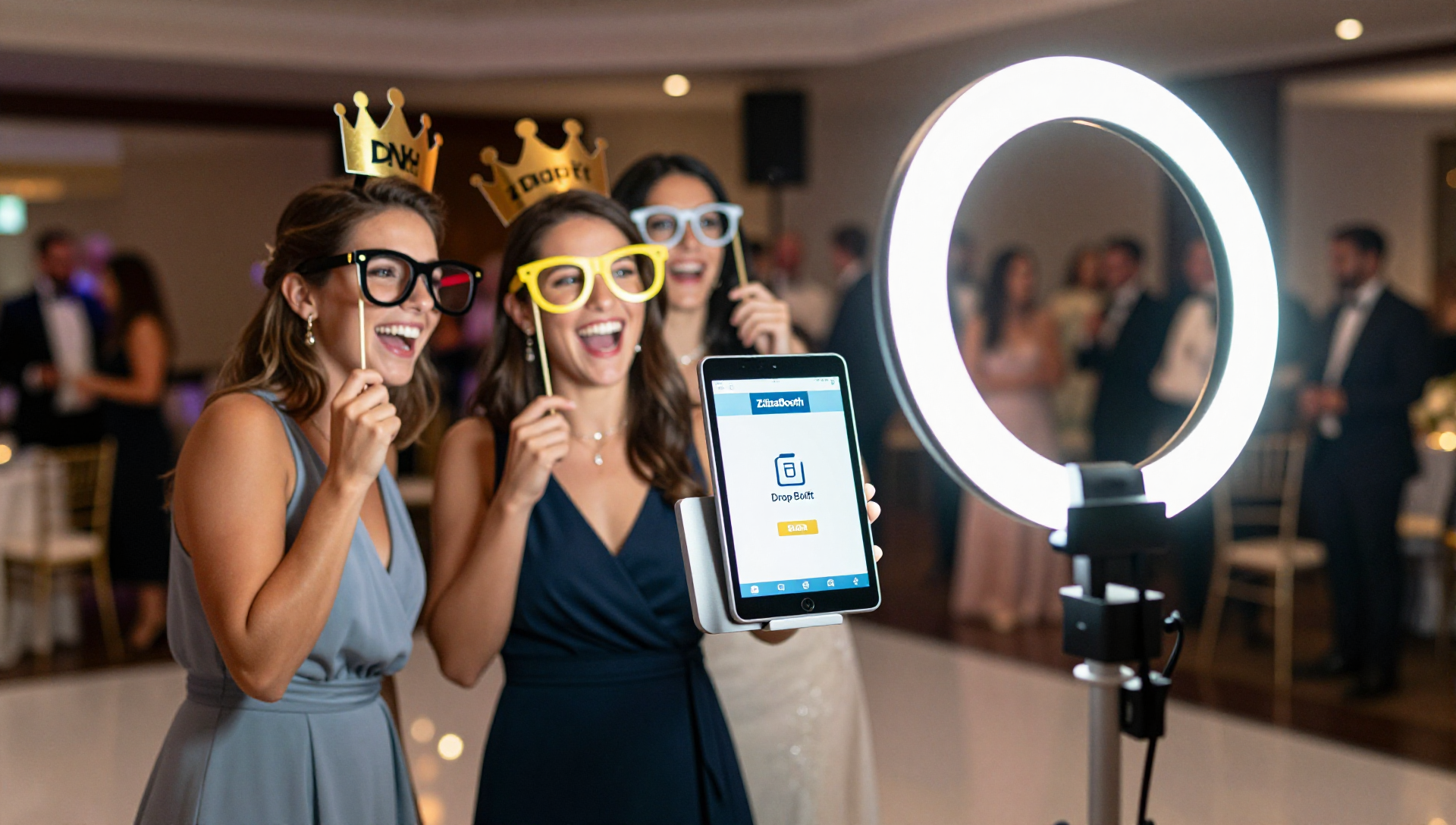
Wedding photo booth rentals are presented as costing about $600 to $1,500 for a standard four-hour event in 2026, with higher prices attributed to staffing, transport, and printed photos.
The post contrasts this with a DIY iPad setup using an existing tablet, a ring light stand, and the ZillaBooth app, which is described as a lower-cost, guest-led alternative that saves digital photos and supports custom overlays and email delivery.
The Truth About Photo Booth Pricing
If you’ve started requesting quotes for your wedding, you’ve probably experienced sticker shock. In 2026, the average cost of a traditional wedding photo booth rental is between $600 and $1,500 for a standard 4-hour block.
Why Does It Cost So Much?
You aren’t just paying for the camera. You are paying for:
The Attendant: Someone has to drive it there, set it up, and babysit it all night.
Transport & Logistics: Bulky machines require vans and heavy lifting.
Physical Prints: Ink and high-quality photo paper add up quickly.
The Smart Alternative: The DIY iPad Booth
What if you could get the exact same digital experience—custom photo overlays, instant email delivery, and hilarious guest poses—for a fraction of the cost?
By using an iPad you already own, a $50 ring light stand from Amazon, and the ZillaBooth app, you can build a premium, guest-led photo booth kiosk. With ZillaBooth Pro and Apple’s Guided Access, it resets between guests, keeps Settings hidden, and can email you alerts if something needs attention. With Guided Access or Single App Mode on, the screen stays on all event. Set Auto-Lock to Never (Settings → Display & Brightness) and keep the iPad plugged in. Turn on auto-save (Pocket or Pro) to keep every collage in your photo library so you don’t miss a single memory.
Save Your Budget
Don’t cut your guest list to afford a photo booth. Download ZillaBooth and build your own in minutes. The core app is free, Pocket is a one-time purchase, and Pro is a monthly or yearly subscription. You can see current pricing in the app.
Grow Your Wedding Package: Why Your Existing iPad Is the Key to an Easy Photo Booth Add-On
If you’re a professional wedding DJ or planner, you’re already a master of logistics, atmosphere, and client satisfaction. You know the market, you have the clients, and you have the expertise. But in an industry where every client is looking for maximum value, there is a good chance you are overlooking one of the easiest ways to add value to your service package this year: adding a photo booth.
Wait, don’t scroll past. We’re not talking about buying a dedicated booth rig, dealing with bulky crates, or hiring a new dedicated staff member. We are talking about leveraging the professional-grade technology you already carry in your gear bag…your iPad…and unlocking its potential with one simple app: ZillaBooth.
This is the ultimate business hack for wedding vendors. The core promise is simple: turn a device you already own (your iPad) into a fun, four-hour photo booth add-on that clients love, starting today. You don’t need a big new rig, you don’t need additional staff, and you don’t need storage space for new gear. You already have the venue access, the client trust, and the contract, which makes the booth easy to fold into what you already do.
The Vendor’s Dilemma: Giving Clients More vs. Minimizing Stress
Every wedding professional knows the dance: clients want more, but they are often budgeting aggressively. You, the vendor, want to offer comprehensive, competitive packages without overloading your team or sinking cash into new inventory. A dedicated photo booth company is an extra contract, another deposit, another vendor to coordinate, and another logistical headache for both the client and the planner. By positioning the photo booth as a simple, no-fuss “add-on” managed directly by the primary vendor (you), you solve the client’s problem while making your own package more complete.
This is fundamentally an issue of convenience. Clients prefer buying services from people they already trust. When you, the DJ who controls the entertainment flow, or the Planner who orchestrates the entire event, simply check a box and say, “Yes, we can handle the photo booth, too,” you eliminate client friction and create an immediate, effortless upsell opportunity. The client gets a professional, modern photo booth experience, and the extra setup and labor for you stay small.
Section 1: The Lightweight Advantage…Why Traditional Photo Booths Feel Dated
The biggest barrier to entry for most vendors considering a photo booth has always been the equipment. Traditional booths are bulky and complicated. They require a dedicated rig, a full DSLR camera setup, studio flashes, complex proprietary software, a printer, and a dedicated staff member to manage it all.
The ZillaBooth + iPad model eliminates all of this.
Your Existing iPad is the Camera and Computer: The latest generations of iPads, even models a few years old, possess cameras superior to many older dedicated photo booth systems. They are already high-resolution, reliable, and portable. They are the heart of your new add-on.
The Software Is Simple: ZillaBooth is free to download, and Pro is a monthly or yearly subscription that adds the event tools vendors reach for, like your own overlays, email delivery from your own domain, and Simple Printing via AirPrint. Compared with buying and hauling a dedicated booth rig, it is a much lighter way to add a photo booth to your lineup.
No Bulky Gear, No Logistics Nightmare: The entire photo booth setup boils down to three things: your iPad, a simple light stand/tripod, and a basic ring light (a simple purchase you’ll use for years). It’s a slim, elegant setup that fits in a small carry bag and takes five minutes to set up, integrating seamlessly into any venue space. The days of lugging massive, heavy crates are over.
Section 2: The DJ’s Natural Add-On…Integrate and Simplify
For the mobile DJ, this is the most natural add-on service imaginable. You are already booked, you are already setting up in a high-traffic area, and you are already the life of the party.
Optimal Placement and Power: Your DJ booth is the hub of the party. You have dedicated power and a reserved footprint. Tucking a sleek, iPad-based photo booth on a stand near the dance floor is a perfect, low-impact way to utilize your existing real estate.
Guest-Led Operation: The secret to the DJ’s success with this model is the ‘Drop-Off Booth’ concept, enabled perfectly by ZillaBooth. Once you’ve set up the tripod, ring light, and iPad running ZillaBooth, the booth is guest-led. With Pro and Apple’s Guided Access, it resets between guests, keeps Settings hidden, and queues prints and emails if the Wi-Fi drops. With Guided Access or Single App Mode on, the screen stays on all event. Set Auto-Lock to Never (Settings → Display & Brightness) and keep the iPad plugged in. Guests tap the screen to start, the app guides them through the process, and with Pro email delivery they get their collage in their inbox a moment later. Your DJ or assistant should still glance over now and then, but it doesn’t need someone standing next to it, meaning you can offer four hours of photo booth fun without adding another staff member to the night.
Enhancing the Guest Experience: By offering the booth, you’re providing an additional form of entertainment that runs concurrently with your music sets. It keeps guests engaged during dinner or slow points, and the instant-sharing feature acts as an organic, digital memento of the night. Guests walk away remembering the fun your company provided.
Packaging It for Your Clients: Offer the photo booth as a simple add-on to your existing packages, at a rate that fits your market. Because it runs on gear you already bring, it slots into the night without extra trucks, crates, or staff, and couples get one more fun thing from a vendor they already trust.
Section 3: The Wedding Planner’s Competitive Edge…The Seamless Solution
For the wedding planner, adding the ZillaBooth service is less about direct staffing and more about control and client experience. Our wedding photo booth guide shows what guests see and how setup works.
Becoming the One-Stop-Shop Hero: Clients are always looking to minimize vendors. When a planner can confidently say, “I have a trusted, modern photo booth solution that I manage personally,” it eliminates a line item from the client’s to-do list. This is a massive relief for a stressed couple and immediately elevates the planner’s perceived value as a full-service provider.
Eliminating Vendor Coordination: No more chasing down contracts, coordinating load-in/load-out times, or dealing with the insurance paperwork of an external photo booth company. You control the equipment and the timeline. This streamlines your entire event management process and reduces your day-of stress.
Two Ways to Offer It: Planners have two simple options:
Planner-Run Model: The planner sets up a ZillaBooth Pro subscription and the simple hardware (tripod/ring light), brands the service as their own, and includes it in the package. They can run it with an assistant or partner with a trusted DJ to handle the quick setup and tear-down.
Partner Model: The planner partners with a trusted, ZillaBooth-equipped DJ and offers the booth as part of the package, coordinating it without any hands-on setup. In both cases, the planner adds a modern photo booth to the package while improving the client experience and simplifying the vendor list…a true win-win.
Section 4: The 5-Minute Technical Setup Guide
Doubtful that a professional-grade experience can come from an iPad? That’s where the ZillaBooth application proves its worth. It’s not a hobby app; it’s a professional photo booth software suite.
Step 1: The Hardware Foundation The only two items you need beyond your existing iPad are an adjustable light stand or tripod and an LED ring light. * The Stand: Look for an inexpensive but sturdy stand with an adjustable mount for your iPad. * The Ring Light: This is critical. While the iPad flash works, a good ring light gives flattering, even lighting on all guests, mimicking the look of professional studio light.Step 2: ZillaBooth Customization The ZillaBooth app is where the magic happens. Before the event, you will upload the client’s custom PNG overlay (e.g., “The Smiths – 10.15.2026”). * Branding & Overlays: Design a transparent PNG overlay that matches the wedding’s look. With Pro, ZillaBooth puts it on every collage, in every email and every print. * Sharing: Turn on Pro email delivery so guests type their address and get the collage in their inbox, or leave the standard iOS share sheet in place. This is the feature that guests love and what drives social media buzz. * Four-Shot Collages: Every session is four photos laid out as a 2×2 grid or a 1×4 strip, ready to email or print.Step 3: The Backdrop and Props While a traditional booth might require heavy curtains, the elegant iPad stand looks great against a simple, well-lit wall. * Simple Backdrops: A sequined cloth backdrop on a lightweight stand or simply the venue’s existing brick wall or draped fabric. The iPad setup is so compact it blends into its surroundings. * Props: This is the fun part. Invest in a small, clean set of high-quality physical props (hats, signs, oversized glasses) and simply lay them on a small table next to the stand.Step 4: The Event Workflow When you arrive at the venue, set up the stand, mount the iPad, plug in the ring light, and launch the ZillaBooth app with the client’s overlay loaded. Do a quick test session (and a test print if you are printing). Explain the two-step process (tap to start, follow the prompts) to the venue coordinator or an available assistant. That’s it. Keep Awake (Pro): with Guided Access, the booth screen stays on all event, so guests can run the booth themselves for the whole rental, as long as Auto-Lock is set to Never and the iPad stays plugged in. Check on it between sets.
What the Add-On Brings to Every Booking
Forget the spreadsheets for a minute. Here is what the booth adds to the work you already do:
A memorable extra for the couple: Guests leave with a four-photo collage in their inbox (and a print, if you set up Simple Printing), finished with the couple’s custom overlay.
One fewer vendor for the client: The booth is part of a package they already booked, so there is no extra contract, deposit, or load-in to chase.
Gear you already carry: Your iPad, a stand, and a ring light fit in a small bag and set up in minutes.
A repeatable workflow: Load the overlay, run a test session, turn on Guided Access, and check on the booth between sets.
It is a small, easy addition that makes your package feel more complete and gives guests something to talk about long after the last dance.
Final Action: Add the Photo Booth to Your Packages Today
The era of big, expensive photo booth rigs is ending, replaced by sleek, modern, digital-first solutions that rely on the power of modern mobile devices. For wedding DJs and planners, this is not just a trend…it’s an urgent business imperative. You are already at the venue, you have the trust of the client, and you possess the core technology. The only thing you are missing is the final step: downloading the ZillaBooth app and adding the photo booth to your packages.
Stop sending clients to outside vendors for a service you can handle yourself, simply and cleanly. Become the one-stop solution, give couples one less thing to worry about, and give their guests a booth they will remember. Download ZillaBooth, start Pro, add the photo booth to your contract, and enjoy a more complete package this wedding season.