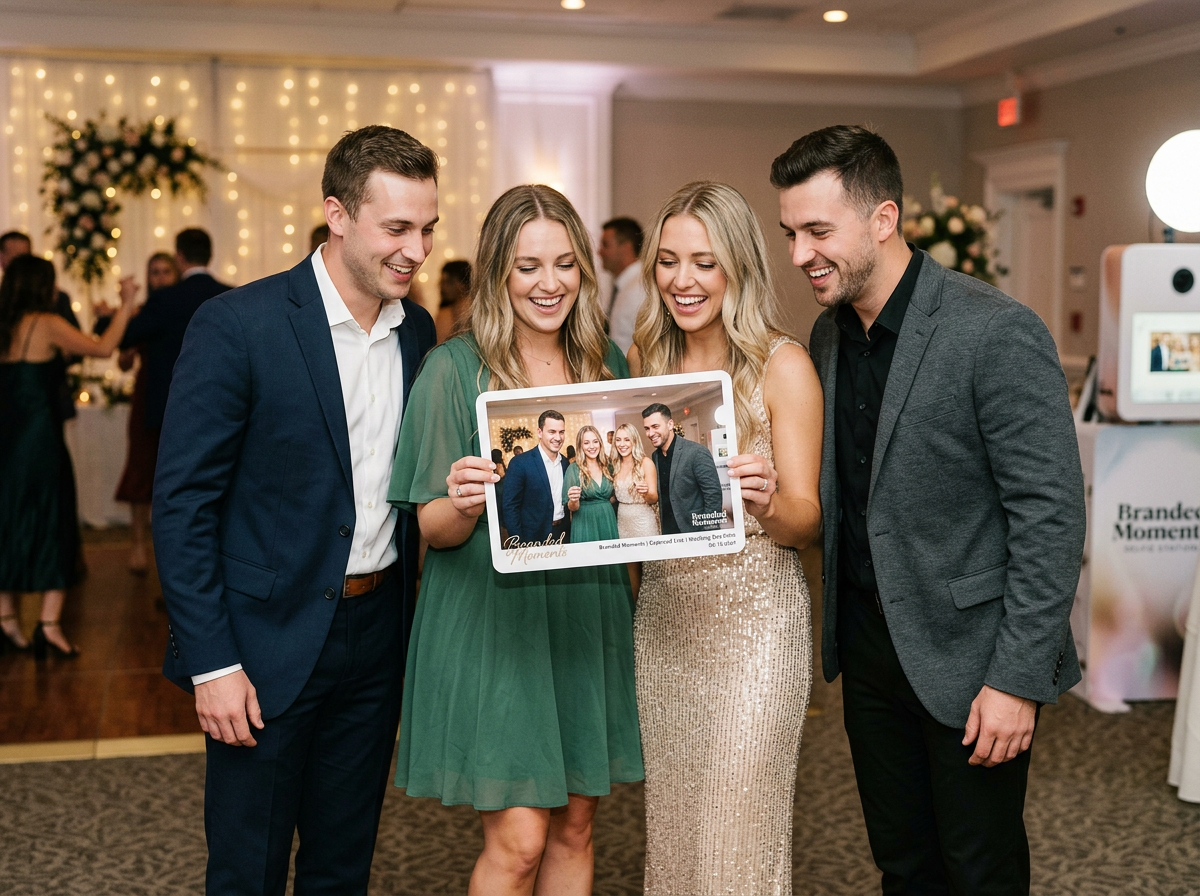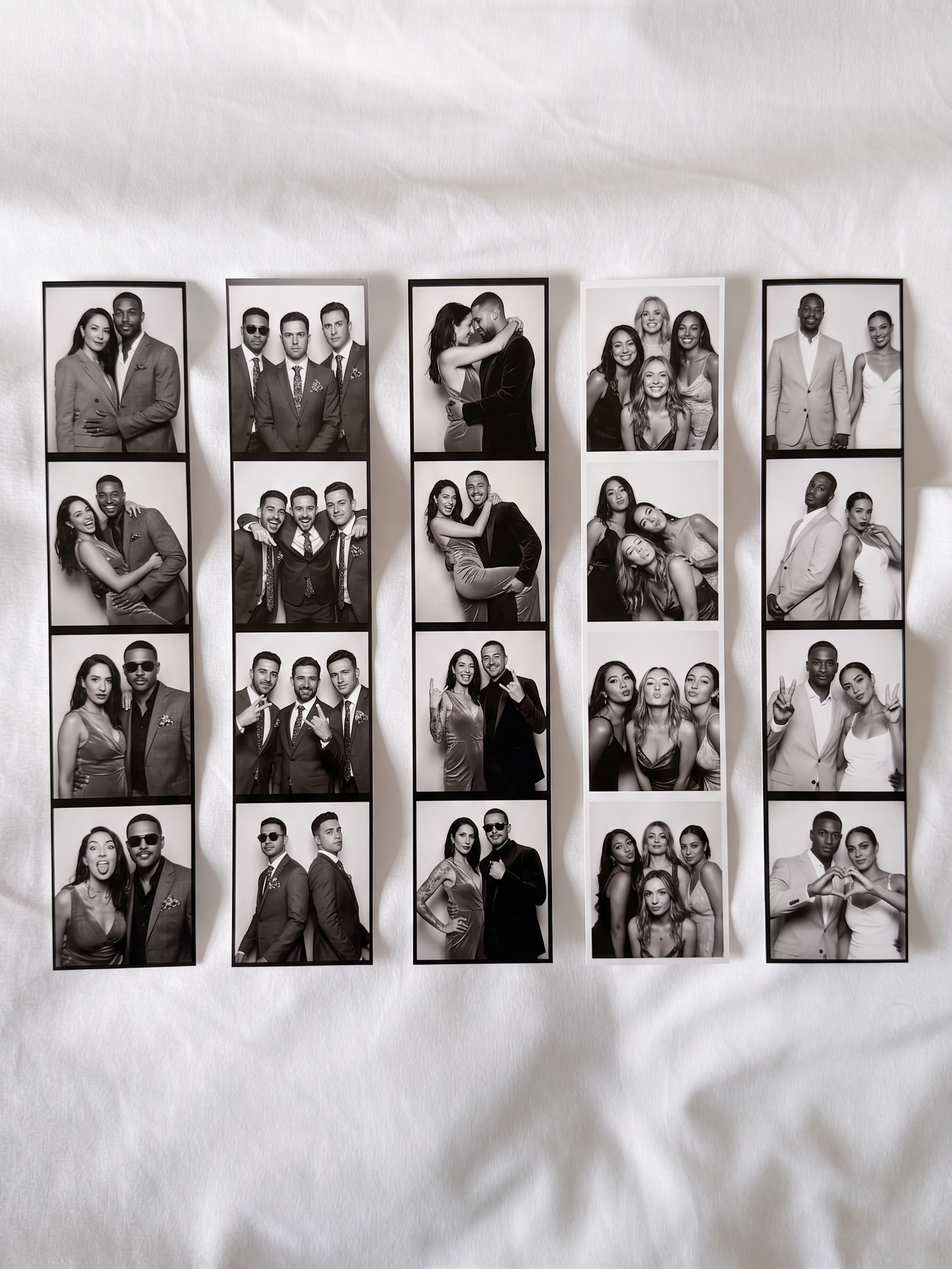
Tag: ZillaBooth Pro

  • Introducing ZillaBooth 3.0: Professional Photo Booth Features Made Simple

    Introducing ZillaBooth 3.0: Professional Photo Booth Features Made Simple

    ZillaBooth 3.0 is officially here. This major update brings a mature, feature-complete experience designed for event professionals, venue operators, and casual hosts who need a reliable, self-running photo booth.

    We built ZillaBooth with a focus on stability and ease of use. Whether you are managing a high-traffic brand activation or setting up an iPad at a wedding reception, ZillaBooth 3.0 turns your hardware into a polished kiosk that works while you host. The booth runs itself, so you can run the event.

    Here is an overview of the new professional tools, our three user tiers, and the engineering that makes ZillaBooth the smart choice for your next event.

    What’s New in Version 3.0?

    Version 3.0 introduces a suite of powerful, thoughtfully engineered features designed to give operators complete control and peace of mind during live events.

    • USB External Camera Support: For professional setups, you can now connect UVC-compliant USB webcams and DSLR cameras to your iPad. This provides a DSLR connection option with a clean, high-quality feed, giving you consistent framing independent of the iPad’s built-in camera.
    • Event Readiness Dashboard: Ensure your hardware is ready before the doors open. The new live dashboard lets you proactively verify your battery, thermal state, storage capacity, and printer connectivity in one place.
    • Ambient Device Status Alerts: Subtle live status chips on the iPad camera screen keep operators informed of low battery, overheating, or printer issues without interrupting the guest flow.
    • Bluetooth Remote Shutter: Trigger photo captures seamlessly using standard Bluetooth remotes, volume buttons, or the new iPhone Camera Control button. It utilizes a unified shutter path to ensure flawless hands-free attendant operation.
    • Custom Save Locations: Professional workflows require flexibility. You can now save individual photos and finished collages directly to external drives, Files folders, or iCloud Drive for instant editor access and same-night handoffs.
    • Attention-Grabbing Shutter Button: Designed for unattended setups, an optional animated particle halo or swirling emoji ring around the iPad shutter helps draw guests in and maximize engagement.

    Three Tiers Designed for Different Users

    Rather than a one-size-fits-all approach, ZillaBooth is structured into three distinct tiers tailored to different types of users and use cases. With the 3.0 release, we are officially renaming our one-time purchase tier to Pocket to better reflect its intended use.

    Core (Free)

    ZillaBooth Core is designed for casual use and testing. It remains completely free to download, requires no account or login, and produces clean collages with zero watermarks.

    • Classic Collages: Capture exactly four photos in sequence to automatically generate a 2×2 grid or 1×4 vertical strip.
    • Automated Flow: Simple automatic countdown timers and full-screen flash for consistent illumination.
    • Instant Sharing: Share or save your collage instantly using the native iOS share sheet.

    Pocket (One-Time Purchase)

    Designed for casual users and content creators who want a customizable photo booth experience right in their pocket. While it works beautifully on an iPad, Pocket is primarily envisioned for iPhone users.

    • Custom Timing & Manual Capture: Adjust initial and between-photo countdowns, or switch to Manual Capture to take photos at a natural, human-paced rhythm.
    • Creative Aesthetics: Apply professional black-and-white filters and add customized border spacing and colors.
    • Automated Organization: Auto-save individual photos and collages directly to your library, and embed GPS metadata with geotagging.
    • Custom Share Messages: Pre-fill the iOS share sheet with your own custom caption or event hashtag.

    Pro (Monthly Subscription)

    The Pro tier is aimed directly at pros and DIY users running events, parties, and permanently installed photo booths. It leverages all the custom controls of Pocket and adds a complete suite of event-grade tools.

    • iPad Event Layout: Transform your iPad into a full-screen kiosk with an oversized shutter and dedicated collage review buttons.
    • Integrated SMTP Email: Guests receive their collages in seconds via your own email domain. A persistent BCC feature seamlessly integrates with your marketing lists.
    • Graphic Overlays: Import your own transparent PNG artwork for custom logos, borders, and brand themes. There is no proprietary template lock-in.
    • Auto-Print: Connect to any AirPrint-compatible venue printer to instantly deliver 4×6 physical keepsakes.
    • Booth Automation: Auto-Restart after idle periods, Keep Awake guidance, and a hidden settings button ensure your booth runs safely and independently all night.

    Why ZillaBooth?

    ZillaBooth 3.0 is built natively for iPhone and iPad using Apple’s AVFoundation framework. This ensures highly reliable captures, system-level performance, and an interface that feels instantly familiar to your staff and guests.

    Most importantly, ZillaBooth respects your professional workflow. We believe in zero proprietary lock-in: use the hardware you already own, the email infrastructure you trust, and the branding your clients demand.

    Download ZillaBooth 3.0 today and see how easy running a professional photo booth can be.
  • Geotagging Your Love Story: A ZillaBooth Pro Feature

    Geotagging Your Love Story: A ZillaBooth Pro Feature

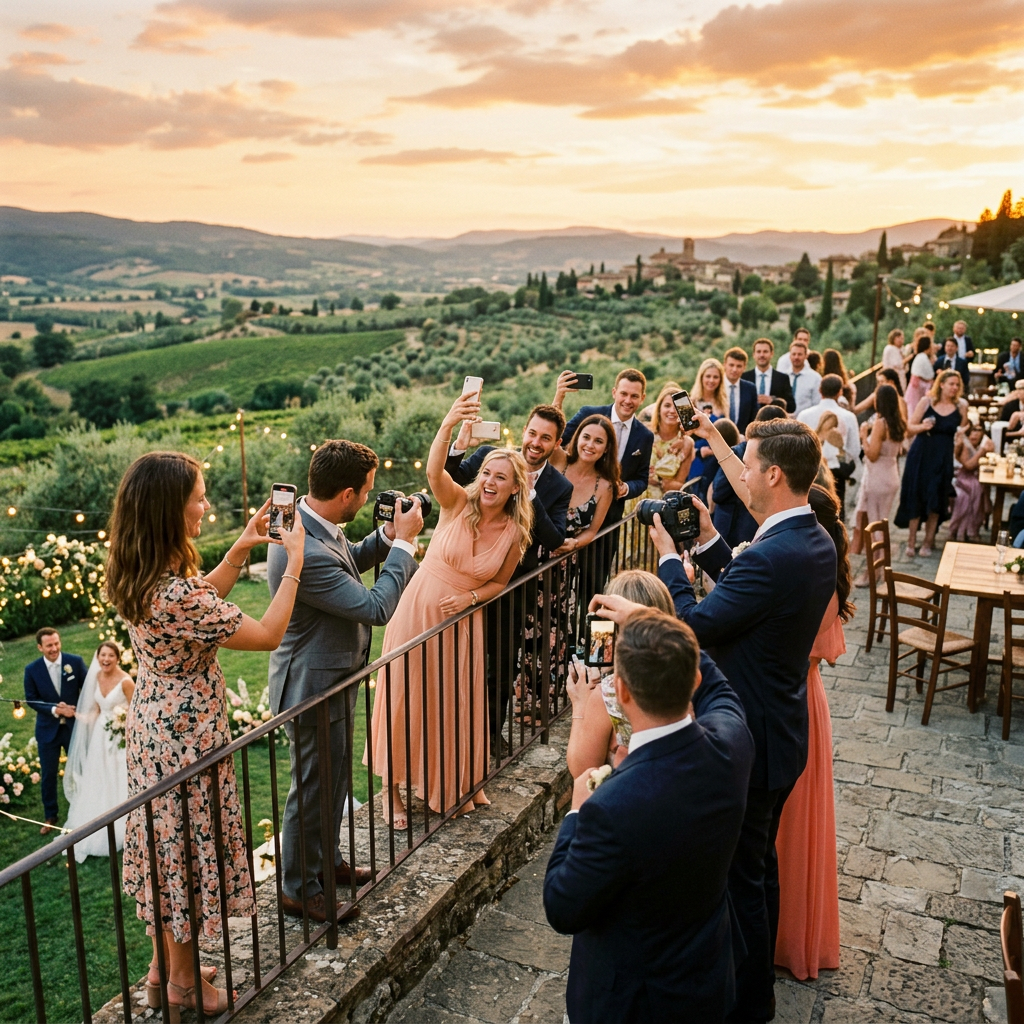
    The sun is setting. It could be dipping below the rolling, vine-covered hills of Tuscany, bathing an ancient stone villa in a deep, honey-gold light. Or, just as magically, it could be sinking behind the familiar silhouette of the old oak tree in your parents’ backyard, casting long, familiar shadows across the lawn where you played as a child. In either scene, a love story is unfolding, and whether you flew halfway around the world or simply stepped out your back door, the setting itself is a silent, vital character in the narrative of your wedding day.

    For years, the wedding industry chased a certain kind of perfection…a polished, Pinterest-ready aesthetic that was often beautiful but occasionally lacked a deep sense of place. But the trend has shifted profoundly. Today, couples are obsessively focused on meaning. They aren’t just choosing a venue; they are choosing a location with a story, a sense of soul, and an identity that is meant to be woven into the fabric of their marriage. Destination weddings…from intimate elopements on remote cliffsides to grand, multi-day affairs in European capitals…have surged, but so too has the intentional, highly personalized ‘home’ wedding, staged on family property, in a favorite park, or at a meaningful local landmark.

    The problem with this new focus on location, however, is that once the final photo is taken and the last guest has departed, the digital evidence of that meaningful setting often dissolves into a vast, flat sprawl of files. Your photographer delivers thousands of images, your videographer sends terabytes of footage, and your guests, via a shared album, contribute hundreds of snapshots. You have a huge, beautiful collection, but the fundamental context…where exactly that beautiful, spontaneous moment occurred…is lost. Was that hilarious speech delivered next to the fountain overlooking the Adriatic, or was it given in the glow of the string lights under the old walnut tree? Digital files are stripped of their emotional geography, leaving you with an inventory of moments, but a fragmented map of the experience.

    This is where the magic of ZillaBooth Pro’s advanced Geotagging feature turns your digital memories from a simple gallery into an interactive, spatial memoir.ZillaBooth Pro’s Geotagging: The GPS of Your Soul

    ZillaBooth Pro is an indispensable tool for the modern wedding, allowing you to capture spontaneous, high-quality, and deeply personalized content from your guests without the awkwardness of a traditional, physical photo booth. But its most powerful feature for location-conscious couples is its seamless, hyper-accurate Geotagging technology.

    In simple terms, Geotagging is the automatic process of adding precise geographical identification metadata…latitude and longitude coordinates…to every single piece of content captured through the ZillaBooth Pro app. This includes every silly photo, every heartfelt guest video message, every slow-motion boomerang, and every stunning 360-degree clip.

    Unlike the generic geotags you see on social media, which often only register the name of the broad venue (e.g., “Villa Pienza”), ZillaBooth Pro utilizes your phone’s internal GPS with high granularity. This means it records the exact coordinate of the guest at the moment they hit the shutter or record button. The result is a memory bank that is organized, not just by time, but by space. When your final ZillaBooth Pro memory package is delivered, it’s not just a folder of files; it’s a living, breathing, interactive map of your wedding.Destination Memoir: Mapping the Multilingual Journey

    Consider the dream destination wedding in Tuscany. The celebration may span three days and multiple locations: the intimate rehearsal dinner in a medieval cellar on Thursday, the cliffside ceremony overlooking the Val d’Orcia on Friday, and the grand reception at the villa pool on Saturday.

    In a standard digital album, all these files would be sorted by date, but the distinct flavor of each setting would blend together. With ZillaBooth Pro Geotagging, your memory review becomes a journey: * The Proposal Spot Pin: Before the main event, you and your partner sneak back to the exact spot where he or she proposed…a tiny, overgrown chapel perhaps. You record a short, reflective video message together in the app. That memory is instantly pinned to those exact coordinates on your master map.
    * The Ceremony Overlook: The actual ceremony takes place at a specific, breathtaking overlook 500 meters from the villa. Guests capture their initial gasp of the view, close-up shots of the rings, and the tearful reactions to your vows. By clicking the pin labeled “Ceremony Site” on your ZillaBooth Pro map, you instantly filter all content to only the memories created in that sacred, fifteen-square-meter area.
    * The Aperitivo Corner: Later, during cocktail hour, one of your aunts is seen on a guest video message offering unsolicited, hilarious marriage advice. This memory is pinned, not just to the villa, but specifically to the corner of the terrace by the old olive tree where the Aperol Spritz bar was set up. Years later, you can click that exact spot and relive that perfectly timed moment, complete with the clink of glasses and the sound of Italian chatter from the street below.Geotagging in a destination setting is the ultimate organizational tool. It turns a vast, beautiful collection of moments into a chronological, geographical itinerary, allowing you to navigate your memories with the same intentionality you used to plan the trip itself. It ensures that the unique character of every stop on your wedding journey is permanently preserved and instantly retrievable.Local Legend: Elevating the Backyard to a Landmark

    But the true genius of Geotagging isn’t just for exotic locations…it’s for making familiar locations feel just as sacred and special. For the couple who chooses to host their wedding in the beloved, meaningful space of a family backyard, Geotagging is the tool that transforms a beloved piece of property into a living, breathing landmark of their union.

    A backyard wedding, while deeply personal, can be spatially confusing in retrospect. Every moment happens within a hundred-foot radius. The kitchen is the dressing room, the lawn is the dance floor, and the gazebo is the altar. Geotagging creates precise, memory-laden zones: * The Vows Pin: Your vows were exchanged beneath the old, enormous maple tree. Geotagging ensures that every photo or video taken of that sacred moment is grouped not under “Backyard,” but under “Maple Tree Altar – Vows.”
    * The Dessert Bar Pin: You spent weeks perfecting a stunning dessert bar, and your cousin took a video describing the full array of treats. That message isn’t lost in the general reception footage; it’s pinned precisely to the coordinates of the picnic table that held the cakes.
    * The Dance Floor Zone: ZillaBooth Pro can even create a virtual fence, or ‘geofence,’ around the dance floor area. By filtering the master map for this zone, you can instantly pull up every single photo, video, and GIF of your guests letting loose, effectively creating a “Best of the Dance Party” reel with a single click.For a local wedding, Geotagging transforms proximity into specificity. It acknowledges the emotional reality that the spot where you said ‘I do’ is fundamentally different from the spot where you cut the cake, even if they are only thirty feet apart. The feature acts like a professional archivist, differentiating and cataloging every micro-location to honor the specific memory created there, making the familiar feel uniquely profound.More Than Photos: The Spatialization of Sentiment

    ZillaBooth Pro’s Geotagging extends far beyond standard photography, adding unparalleled depth to other forms of memory capture:1. Geotagged Video Messages: The most valuable content captured by the app are often the spontaneous, heartfelt video messages from guests. With Geotagging, you don’t just get the message; you get the location. This can add subtle, beautiful context. Perhaps your grandmother recorded her message from a quiet bench on the edge of the property, providing a moment of calm reflection that is now permanently linked to that spot.
    2. Mapping Speeches: Even formal elements like speeches, which can sometimes be hard to locate in hours of video, become instantly accessible. Was your sister’s tear-jerking toast delivered from the veranda? Click the “Veranda” pin and jump straight to the exact moment.
    3. Future Proofing: By permanently embedding the exact location into the file metadata, you are future-proofing your memories. Ten, twenty, or thirty years from now, you will not rely on memory or cryptic filenames to recall the setting. The location data is part of the file itself, a timeless, unerasable link between the moment and the geography.In a world drowning in digital clutter, ZillaBooth Pro’s Geotagging is an anchor. It connects the fleeting, joyous chaos of your wedding day back to the fundamental constant of place. It transforms your collection of files into a deeply meaningful, navigable memory experience…a digital map of your love story. Whether your journey began in a sun-drenched Italian olive grove or under the comfortable shade of the backyard oak, this feature ensures that the unique geography of your celebration is never lost, allowing you to relive every single cherished moment exactly where it happened. It’s the difference between looking at a photograph of a castle and standing right where you stood when the photograph was taken. It’s the ultimate way to honor the most meaningful location in your life: the place where you officially became a family.

  • The SMTP Advantage: Why Custom Domains Matter

    The SMTP Advantage: Why Custom Domains Matter

    In the dynamic world of experiential marketing and event management, every single touchpoint matters. From the lighting and décor to the seamless flow of the guest experience, details dictate success. Yet, one critical…and often overlooked…element can silently undermine your brand’s polish and professionalism: the email address used to deliver those precious event memories.

    Imagine your guests, still buzzing from your spectacular event, receiving the photos they took in the ZillaBooth Party photo booth. They look down at their phone and see the email is from “photodelivery@genericboothservice.net” or, worse, something ending in “@gmail.com.” That instantaneous disconnect…that moment of recognizing an external, third-party service…is a missed opportunity.

    Now, imagine the alternative: the email lands in their inbox, boldly addressed from “events@yourbrand.com.” It’s seamless. It’s authoritative. It’s professional. This transformation is powered by the ability to utilize Custom SMTP (Simple Mail Transfer Protocol), a feature that ZillaBooth Party offers to elevate your entire post-event experience from functional to fundamentally branded.

    What is SMTP and Why Do You Need Custom Control?

    At its most basic, SMTP is the industry-standard protocol used for sending emails over the internet. When you use a software service like a photo booth platform to automatically email photos, that service typically relies on its own internal email infrastructure to send the message. This works, but it ties the delivery to their domain. This is why the sender address often looks generic or includes the service’s name in a less-than-ideal format.

    Custom SMTP changes the game. It allows you to configure the ZillaBooth Party system to send emails through your own dedicated email server (your brand’s domain). Instead of borrowing a generic mailbox, you are plugging the software directly into your professional communications pipeline. This single technical configuration is the foundation for all the powerful branding and deliverability advantages that follow.

    The Events@YourBrand.com Difference: Branding and Trust

    The aesthetic and psychological value of sending from “events@yourbrand.com” cannot be overstated.1. Reinforced Brand Identity: Your email address is a digital signature. Using your custom domain reinforces your brand identity in the guest’s inbox, where a professional marketing message belongs. It tells the recipient, “This memory is coming directly from the people who hosted this exceptional experience.” It removes the intermediary and strengthens the direct relationship between the guest and your brand.

    1. Instant Authority and Professionalism: An email from a custom domain immediately conveys legitimacy. It suggests an established, professional entity that has taken the time and resources to own its digital presence. A generic or free email address, on the other hand, can create a subconscious sense of amateurism or uncertainty, especially with automated content. When guests see your brand’s domain, they trust the content inside immediately, enhancing the perceived quality of the entire event.

    2. Seamless Customer Journey: Event photos are a powerful post-event asset…they are content that guests want and will open. This makes them a perfect vehicle for the next step in the customer journey. When the delivery email is from your brand, it makes it easier for guests to save the address, recognize future communications, and seamlessly click-through to your website or a follow-up campaign.Boosting Deliverability: Avoiding the Spam Folder

    Beyond the aesthetic benefits, Custom SMTP is a crucial technical component for maximizing email deliverability. A photo booth service might send hundreds or thousands of photos from a single event. Internet Service Providers (ISPs) like Gmail and Outlook are constantly scrutinizing sender reputation to filter out spam.

    Generic, high-volume sending addresses are more likely to be flagged or throttled. However, when you use a custom domain that is properly authenticated (via DNS records like SPF and DKIM, which are necessary for Custom SMTP setup), you are leveraging your brand’s existing, established sender reputation. * Authentication: Custom SMTP allows you to authenticate your sending domain, essentially proving to email providers that you are who you claim to be. This drastically lowers the chances of your valuable photos…and your brand’s message…ending up in the spam or junk folder.
    * Reputation Control: When you send through a shared, generic service, your sending reputation is tied to every other client using that service. If another user abuses it or has poor practices, your deliverability suffers. With Custom SMTP, your reputation is isolated and entirely under your control.Seamless Integration with ZillaBooth Party

    The technical barrier to setting up Custom SMTP is minimal, especially with a professional platform like ZillaBooth Party. The process involves a simple configuration with your email service provider (like Google Workspace, SendGrid, or Microsoft 365) to receive the necessary credentials (server address, port, and authentication details). Once entered into the ZillaBooth settings, every photo email instantly transforms.

    The investment is not just in a technical feature; it is an investment in brand consistency and long-term customer relationships. By taking ownership of the final, crucial step of photo delivery, you ensure that the high level of professionalism you demonstrated at the physical event is perfectly mirrored in the digital experience.

    Don’t let the final impression of your meticulously planned event be delivered by a generic, third-party email address. Utilize the SMTP advantage. Transform your photo delivery from a simple utility into an essential, branded, and professional touchpoint that drives deeper engagement and lasting trust.

  • Custom Overlays 101: Branding Your Wedding Like a Pro

    Custom Overlays 101: Branding Your Wedding Like a Pro

    Your wedding day is a masterpiece of carefully selected details…the perfect floral arrangements, the tailored attire, the hand-calligraphed invitations. But in the age of instant sharing, one small detail often overlooked is the single most important piece of personalized content that your guests will take home: the photo booth picture.

    This is where the difference between a fun night and a truly branded event comes in. Moving past the generic photo booth strip, smart couples are now utilizing “Branded Graphic Overlays” to professionally customize every single image captured, transforming a simple souvenir into a cohesive piece of their wedding’s visual legacy. Think of it as your wedding’s watermark, designed by you, and instantly shared with the world.

    This guide is your 101 course to mastering this pro-level wedding branding technique using ZillaBooth Party’s intuitive design system. We’ll cover what an overlay is, why it matters, how to design it, and, crucially, how to match your graphic overlay design to the most dominant wedding color trends of 2026…whether you’re embracing the muted calm of sage green, the rustic energy of terracotta, or the bold statement of “poppy red.”

    The Power of the Branded Graphic Overlay

    A branded graphic overlay is the custom-designed digital frame, border, or graphic element that is digitally added to every photo, GIF, or video taken in your ZillaBooth Party photo booth. It’s a tool that takes your wedding’s aesthetic…its font, color palette, and theme…and stamps it onto a high-quality, instantly shareable memory.

    Why is this so critical? It elevates the photo booth experience from a simple prop to a legitimate extension of your event design.1. Visual Cohesion and Professionalism: An overlay featuring your custom monogram, wedding date, and signature font ensures that every shared image, whether printed or posted on Instagram, immediately feels like it belongs to your event. It eliminates the visual clutter of generic photo booth logos and introduces a professional polish that rivals editorial photography.
    2. The Ultimate Personalized Favor: Guests love a physical souvenir. When that souvenir is perfectly designed and customized, it becomes a keepsake they’ll actually keep.
    3. Amplified Social Sharing (The Hidden ROI): This is the digital-age superpower of the overlay. When guests immediately share their photos on social media, the branded overlay acts as a highly effective, organic marketing tool. Every share is a public declaration of your wedding’s brand, complete with your hashtag and date…a visual legacy that lives long after the last dance.
    4. Tying Together Diverse Visuals: Guests will be taking photos against different backdrops…the main booth, perhaps a roaming booth, or even just candid shots. The overlay is the single element that ties these disparate images together, giving every picture a unified, cohesive look.Tutorial: Designing Your Pro-Level ZillaBooth Overlay

    The ZillaBooth Party design platform is built for simplicity, but achieving a truly professional look requires strategic thought. Here is a step-by-step tutorial to craft a beautiful, impactful graphic overlay.

    Step 1: Define Your Format and Orientation
    Before designing, you must know what the design will frame. ZillaBooth offers several popular formats: * The Classic Strip (2×6 inches): This is a vertical orientation, often containing 3-4 small photos. The overlay space is highly restricted, usually limited to a small area at the top, bottom, or across the dividing lines. Pro Tip: Use a simple font and only your initials or date.
    * The Print (4×6 or 5×7 inches): This provides the most real estate for design. You can opt for a full border, a corner flourish, or a banner across the bottom. This format allows for more detailed graphics and more text.
    * The Digital/GIF: For digital-only formats, the aspect ratio is often a single 1:1 square. The overlay should be a thin, elegant border or corner design that doesn’t distract from the main subject.Step 2: Select Your Essential Elements
    Keep it focused. A good overlay is minimal and intentional. Choose no more than three primary text elements: * The Couple’s Names (or Monogram): “Sarah & David,” “The Millers,” or an elegant initial monogram “S + D.”
    * The Date: “October 20, 2026.”
    * The Hashtag: This is mandatory for social sharing. Keep it brief and memorable, e.g., “#NewlywedMillers.”
    * Optional Graphics: A subtle leaf motif, a simple line drawing of your venue, or a clean geometric shape. Rule of Thumb: If you wouldn’t put it on your wedding invitation, don’t put it on your overlay.Step 3: Master the ZillaBooth Design Tool
    The ZillaBooth portal features a specialized overlay builder. * Start with a Template: Don’t reinvent the wheel. Browse the ‘Elegant,’ ‘Modern,’ or ‘Rustic’ template categories. A well-designed template gives you the perfect proportions and balanced layout right away.
    * Input Your Text: Replace the placeholder text with your names, date, and hashtag.
    * Import Your Font File: If you used a specific, signature font on your invitations, upload that file to the ZillaBooth system. Consistency across your paper suite and your digital suite is what defines professional branding.
    * Color Matching: Use the eyedropper or HEX code tool to exactly match your main wedding color. This is the difference between “close enough” and “perfect.”Matching Your Overlay to 2026’s Hottest Wedding Color Trends

    The 2026 wedding landscape is defined by three distinct and powerful palettes. A professionally branded overlay doesn’t just feature a color…it features the right tone of the right color, chosen to complement your overall vision.

    Trend Focus 1: Sage Green Tranquility
    Sage green has solidified its position as the new neutral. It’s subtle, organic, and incredibly versatile, evoking a sense of calm and natural sophistication. * Overlay Strategy: The goal is soft elegance. Avoid harsh, solid blocks of color.
    * Design Application: Use a water-color wash effect in sage green for a delicate border. Alternatively, apply a thin, clean line in a darker, dusty cedar green along the edge of the photo for definition.
    * Graphic Elements: Feature minimalist line-art of eucalyptus, ferns, or olive branches. The key is small, delicate graphics placed only in the corners, allowing the photo itself to remain the focus.
    * Font Pairing: Pair the organic green with a classic, high-contrast serif font in a soft gray or off-white color for the text elements (names and date).Trend Focus 2: Terracotta Warmth
    Terracotta, along with its related family of burnt oranges, rusts, and clay tones, brings a visceral, grounding warmth to events. It’s perfect for desert-inspired, bohemian, or autumnal weddings. * Overlay Strategy: Embrace texture and geometry. The look should feel rich and earthy.
    * Design Application: Instead of a flat border, try a geometric pattern…semi-circles or angular blocks in varying shades of terracotta and cream. This gives the overlay a handcrafted, artisan feel.
    * Graphic Elements: Look for abstract shapes or minimalist illustrations inspired by desert flowers, sun flares, or woven textures. Consider layering the terracotta with a deep ochre or a complementary deep navy blue for sophisticated contrast.
    * Font Pairing: A relaxed, hand-written script or a bold, block-letter font works well here, particularly in a color like matte black or a dark bronze, which contrasts sharply against the warmth of the terracotta.Trend Focus 3: Poppy Red Power
    Moving away from pastels, 2026 sees the return of bold, saturated color, and “poppy red” is leading the charge. It’s a statement of energy, romance, and confidence…not a shy accent. * Overlay Strategy: Less is more, but what is there must be impactful. Poppy red is best used as a dynamic accent rather than a background.
    * Design Application: The most professional application is a single, razor-thin line in true poppy red framing the entire photo. This is a clean, modern statement.
    * Graphic Elements: Use the red to highlight a single, stylized illustration…perhaps a graphic heart, a single dramatic rose, or the dot over a person’s ‘i’ in the custom text.
    * Font Pairing: This bold color demands a crisp, modern pairing. Use a severe, non-decorative sans-serif font (in black or pure white) for the text, letting the vivid red provide all the drama.Advanced Branding: Taking Your Overlay to Pro-Level Cohesion

    To truly brand your wedding like a pro, think about the design of the overlay not as a one-off task, but as a crucial piece of your overall visual identity.1. Inverse Contrast Coordination: If your main wedding palette uses dark text on light paper (a white invitation with black ink), try flipping the script for the overlay. Using light text on a deep, saturated color can give the overlay a high-tech, digital-first aesthetic that contrasts beautifully with your traditional paper goods.
    2. Theme and Tone Consistency: If your wedding is black-tie and highly formal, ensure the overlay uses a calligraphic font and an elegant monogram. If your wedding is a beach elopement, the font should be more organic, and the graphic perhaps a small wave or shell. The overlay must reflect the tone of the event, not just the colors.
    3. Test for Print and Digital: Always proof your final design by viewing a mock-up both on a screen (to check social media clarity) and as a physical print sample. A complex design that looks great on a 4×6 print might become cluttered and illegible on a 2×6 strip.Ultimately, the ZillaBooth Party branded graphic overlay is your last, best opportunity to professionally brand the most shared memories of your wedding day. By carefully selecting your format, keeping your elements clean, and strategically matching your design to the powerful color trends of 2026, you ensure that every photo shared carries the indelible mark of your stylish, cohesive, and unforgettable celebration. Don’t just take pictures…brand your moments.