In the competitive landscape of health and fitness, member retention and organic marketing are the two pillars that determine a studio’s success. For years, the gold standard of demonstrating success was the before-and-after photo, and the most authentic form of promotion was the genuine, post-workout glow…the “sweaty selfie.” However, the traditional methods of capturing these moments are wildly inconsistent, unbranded, and frankly, a logistical nightmare for a busy studio owner. Members either take poor-quality photos in dimly lit corners, capture unflattering reflections in mirrors, or, worst of all, they simply don’t take them at all because the process is too much of a hassle. You’re losing out on your most powerful marketing resource: verifiable member success and enthusiastic, real-time social proof.
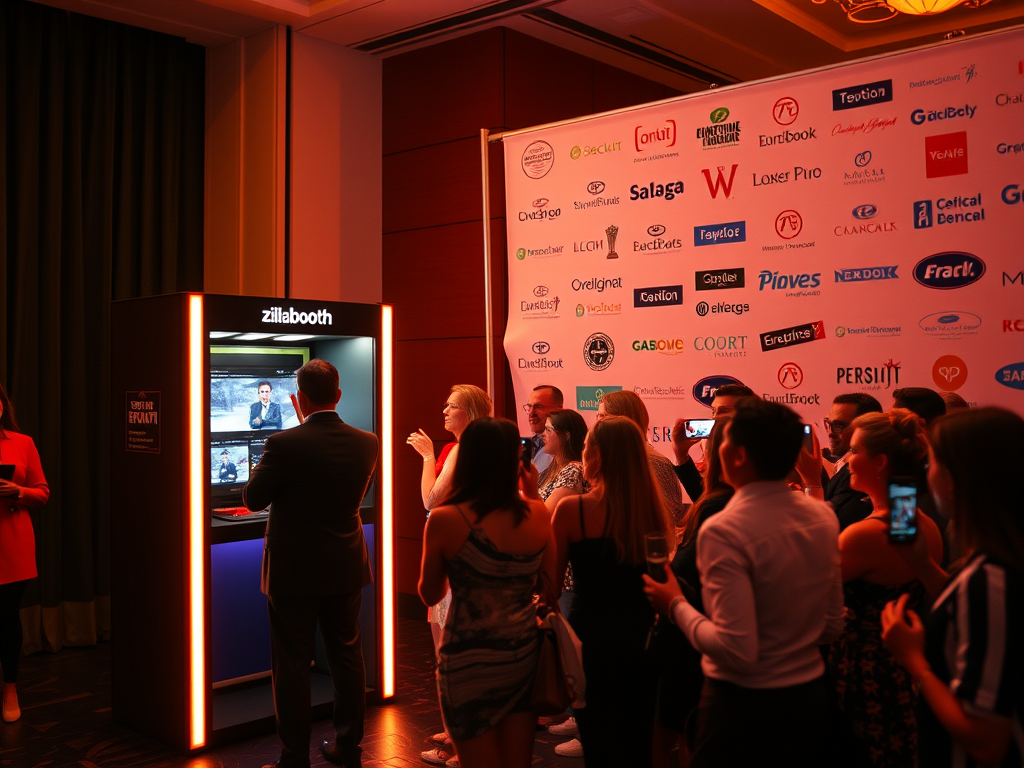
The time for haphazard, phone-camera snapshots is over. It is time to professionalize the moment of triumph with a dedicated, permanent installation that serves a dual purpose: a consistent progress tracking tool for member retention and a high-volume, branded content generator for effortless marketing. We are talking about integrating the ZillaBooth: a professional, fixed-position “Post-Workout” Selfie Station that transforms a sweaty moment into a polished, shareable asset.
This isn’t just a fancy backdrop; it is a meticulously engineered piece of equipment designed to solve three critical business challenges for gyms and fitness studios: inconsistent progress tracking, low member engagement, and the scarcity of high-quality, branded user-generated content (UGC). By dedicating a small, well-lit space…ideally near the exit or a high-traffic motivational area, but explicitly not in the changing rooms…and installing a ZillaBooth, you are providing a service that directly supports the member’s fitness journey while simultaneously broadcasting your brand’s value to the world.
The ZillaBooth system standardizes the photography process, which is the cornerstone of effective progress tracking. For progress photos to be genuinely useful and motivating, they must be taken under identical conditions. Our traditional approach…relying on a member’s phone in different locations at different times of day…introduces variables like lighting, shadows, angle, distance, and even the camera lens itself. These inconsistencies make the comparison unreliable, which can be demotivating for members who are working hard but can’t see the subtle physical changes clearly.
The ZillaBooth solves this with an unmoving, perfectly calibrated system. The station features controlled, diffused lighting that eliminates harsh shadows and highlights muscle definition, a fixed-position camera or tablet, and a simple, guided interface. Tape floor markings in place so members stand in the exact same spot every time. Because the iPad, the light, and the distance never change, a member can put today’s photo next to last month’s and actually see the difference. This moment of visible progress is a major trigger for continued commitment, significantly reducing member churn. Each member gets their photo by email, so it lands in their own inbox, turning the booth into a critical feature for accountability and motivation that no other gym can easily replicate. It transforms the physical struggle of a fitness journey into quantifiable, visible success, making your studio an indispensable partner in their goals.
Beyond the vital function of retention, the ZillaBooth acts as a 24/7 content-creation machine…your most reliable and cost-effective marketing employee. Every post-workout selfie becomes an advertisement for your brand, driven by the authenticity and reach of your members’ personal networks. When a member is dripping sweat, energized by endorphins, and feeling proud, they are in the perfect psychological state to share their experience. The ZillaBooth capitalizes on this moment by making the sharing process frictionless and, critically, branded.
Once the photo is captured, the system offers instant digital delivery and social media integration. Before sharing, the system automatically applies a dynamic, branded overlay. This isn’t just a simple logo; it’s a professionally designed graphic that can include your studio’s logo, the specific class or challenge hashtag (e.g., #4WeekShred or #SpinHard), and a subtle call-to-action or tag. The aesthetic of the photo itself is superior to a phone-snapped image, ensuring that when it appears on Instagram or TikTok, it looks polished and professional, reflecting positively on your entire brand.
The act of sharing a “sweaty selfie” from a dedicated station shifts the narrative from, “Look what I did at the gym,” to “Look what my studio helped me achieve.” It elevates the UGC from a casual post into a piece of editorial-quality marketing collateral that you didn’t have to pay a social media agency to create. A single enthusiastic member with a few hundred followers can generate more genuine, trust-building marketing impressions than a thousand dollars spent on targeted ads. Imagine 50 members sharing their post-workout ZillaBooth photos every week…that is hundreds of unique, authentic, and branded touchpoints flooding social media, all pointing back to your business.
The operational benefits of this dedicated station are as compelling as the marketing and retention gains. The ZillaBooth is designed for high volume, self-service use. It requires minimal staff intervention…a simple introductory briefing to new members is often enough. The setup itself is compact, requiring perhaps a 3×3 foot corner. The return on investment (ROI) is rapid and multifaceted:
1. Increased Member Value and Reduced Churn (Retention): By providing the gold standard for visual progress tracking, you add tangible value to the membership fee. A highly engaged member who can clearly see their transformation is far less likely to cancel their membership than one who feels they aren’t making progress. Even a 2% reduction in monthly churn can equate to tens of thousands of dollars in annual revenue.
2. Organic, Hyper-Targeted Marketing (Acquisition): Each branded share acts as an organic referral to a member’s entire network. Friends trust friends more than they trust ads. The social post is seen by people who are already demographically similar to your ideal client base, making it incredibly effective, hyper-targeted advertising at a cost of $0 per impression.
3. Data and Insights: ZillaBooth doesn’t track members, but you can get a simple picture yourself. Add a BCC address, and every emailed photo also lands in your inbox, so you can count sessions per class or challenge. Put a class hashtag on the overlay and search it to see which programs get shared most. That gives you useful insights into your community’s engagement and the effectiveness of your different programs and challenges.
4. Enhanced Facility Experience: In an era where customers expect an “experience,” the ZillaBooth is a modern amenity. It signals that your studio is invested in technology, success, and the social culture of modern fitness. It’s a differentiator that elevates you above competitors who still rely on sticky notes and bad locker room lighting.
To maximize the impact, placement and promotion are key. The station should be illuminated with a simple, high-impact background that contrasts well with the flash (even though the lighting is controlled, a clean background prevents distraction). It should be promoted with clear signage, perhaps a poster with a few inspiring progress photos and simple instructions. Most importantly, your staff must encourage its use. Make it an integral part of onboarding for new members and the capstone of every studio challenge.
The “Post-Workout” Selfie Station is more than just a photo booth; it is a strategic business asset that touches every part of your operational pipeline, from member recruitment and engagement to long-term retention. It transforms the fleeting, euphoric moment after a successful workout into a permanent, measurable, and shareable success story. In the digital economy, the best businesses don’t just facilitate success; they equip their customers to broadcast it. By setting up a permanent ZillaBooth, your fitness studio is not just staying current…you are proactively building a community of empowered, engaged, and highly effective brand advocates, one perfectly lit, sweaty selfie at a time. The investment in this technology is not just for a camera; it is an investment in your members’ success and the perpetual, organic growth of your studio.